Have you ever imagined that, in the future, robot arms could learn new tasks just like a child learns to walk—simply by watching you do it once? This is not science fiction; it’s the goal that Advantech’s latest Robotic Suite/Physical AI (hereinafter referred to as “Physical AI”) is striving to achieve! This article will guide you through this innovative platform that enables robots to “learn and grow,” showing how we turn complex robot development into an accessible smart experience for everyone.
Pain Points and Opportunities in Robots That “Learn” #
Deploying intelligent robotic arms on production lines sounds cool, but it’s often a headache in practice!
Teaching a robotic arm a new task used to require understanding a ton of technical jargon, installing numerous software packages, and constantly converting data formats. Engineers spent most of their time writing commands or debugging, leaving little focus for actual task design. Not to mention, many companies need to ensure process data security and cannot run confidential information on the cloud.
Most tools on the market are either too low-level and require advanced expertise, or too basic and unable to cover the full workflow. Steep learning curves, difficult hardware integration, and significant gaps between simulation and real-world execution—these are the “three major challenges” for enterprises adopting robot learning.
Advantech recognized these pain points and decided to create a “one-stop” solution—Physical AI—making robot arm learning as simple as recording a video!
What is Physical AI? Understand This Intuitive Platform in One Minute #
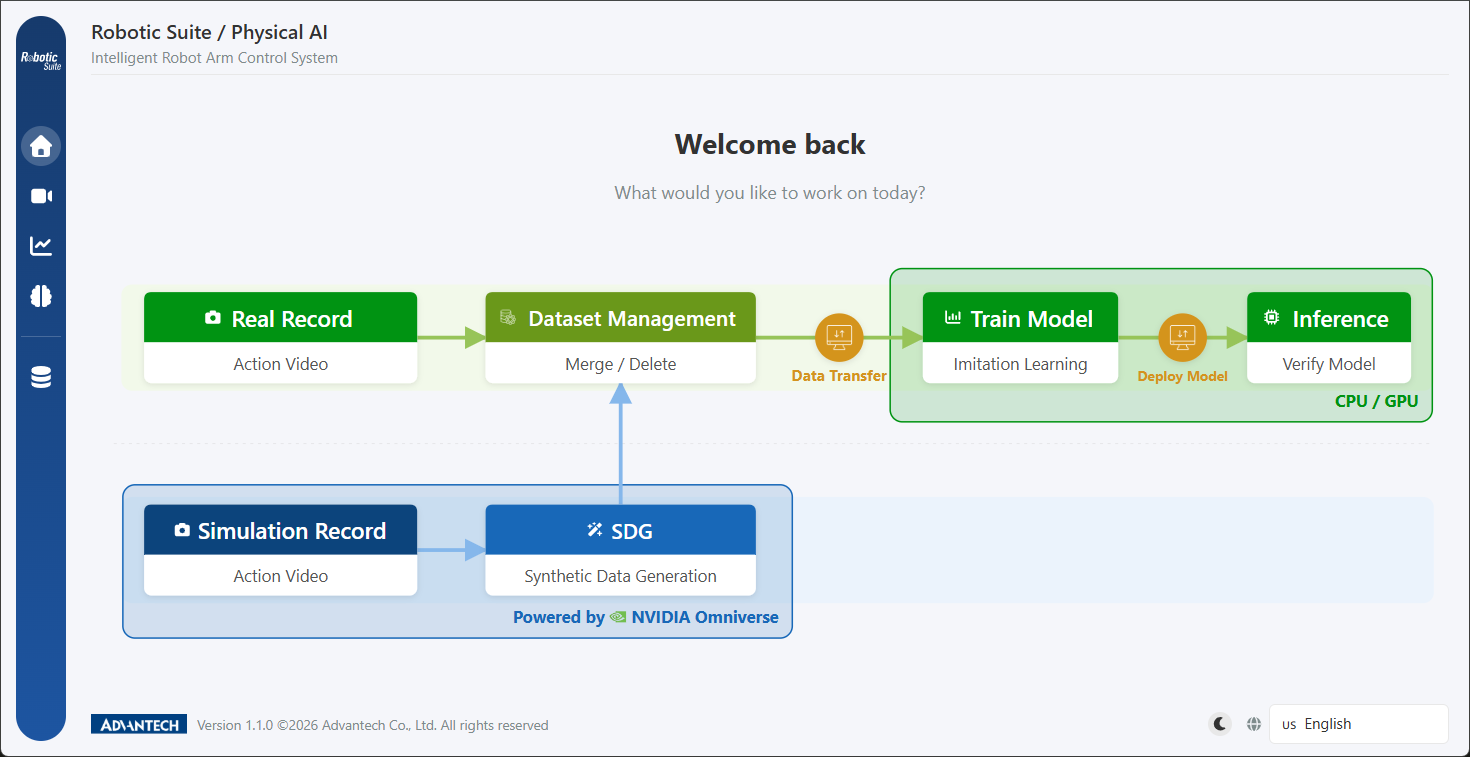
Imagine just opening a browser, with no need to install multiple tools, and step-by-step teaching a robot arm new tasks. From data recording, model training, to on-site deployment—all done on the same platform. Physical AI is that intuitive!
- Full Workflow Integration: Hardware calibration, demonstration recording, data management, model training, format conversion, edge inference—all-in-one service.
- Cross-Platform Support: Built on ROS 2 communication, directly integrates OpenMANIPULATOR-X and SO-101 robot arms, supports mainstream cameras, aligns data formats with open-source communities.
- Containerized Deployment: One-click installation package, supports diverse hardware specs, centralized or distributed deployment.
- Dual Simulation & Physical Modes: Validate workflows even without real hardware, lowering deployment risks.
- Graphical Interface: Process-oriented design, five clear steps, accessible even for non-engineers!
Who Is Physical AI For? Four Target Groups in One Shot #
1. Robot Application Engineers #
Want to quickly teach robot arms new actions? Physical AI offers a one-stop GUI, with hardware checks and motor calibration wizards, no commands needed—setup is ready in minutes.
2. Production Line Automation & Integrators #
Need to deploy AI arms but have limited on-site resources? Training can be handled by backend workstations, with on-site conversion via OpenVINO or TensorRT. Both Intel and NVIDIA platforms run efficiently, saving costs and energy.
3. AI Researchers & Developers #
Require stable data acquisition and evaluation environments? LeRobot standard workflow, real-time training feedback, and two strategy models for direct comparison make experimental design systematic.
4. Educational & Training Institutions #
Want students to experience “demonstration learning”? Supports multilingual interfaces and simulation environments, one-click deployment, consistent classroom management.
Feature Highlights—You’ll Love Them! #
Hardware Integration & Calibration Wizard #
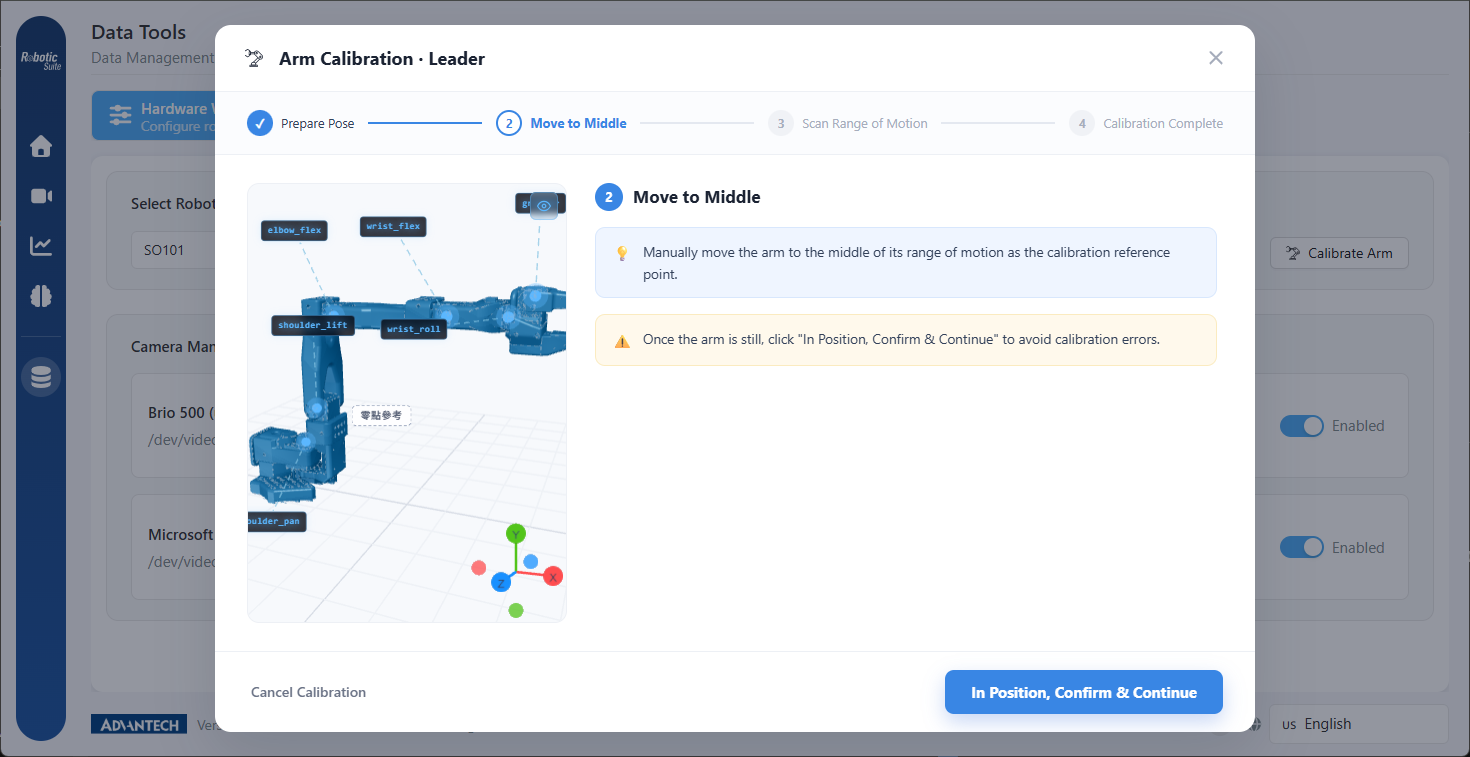
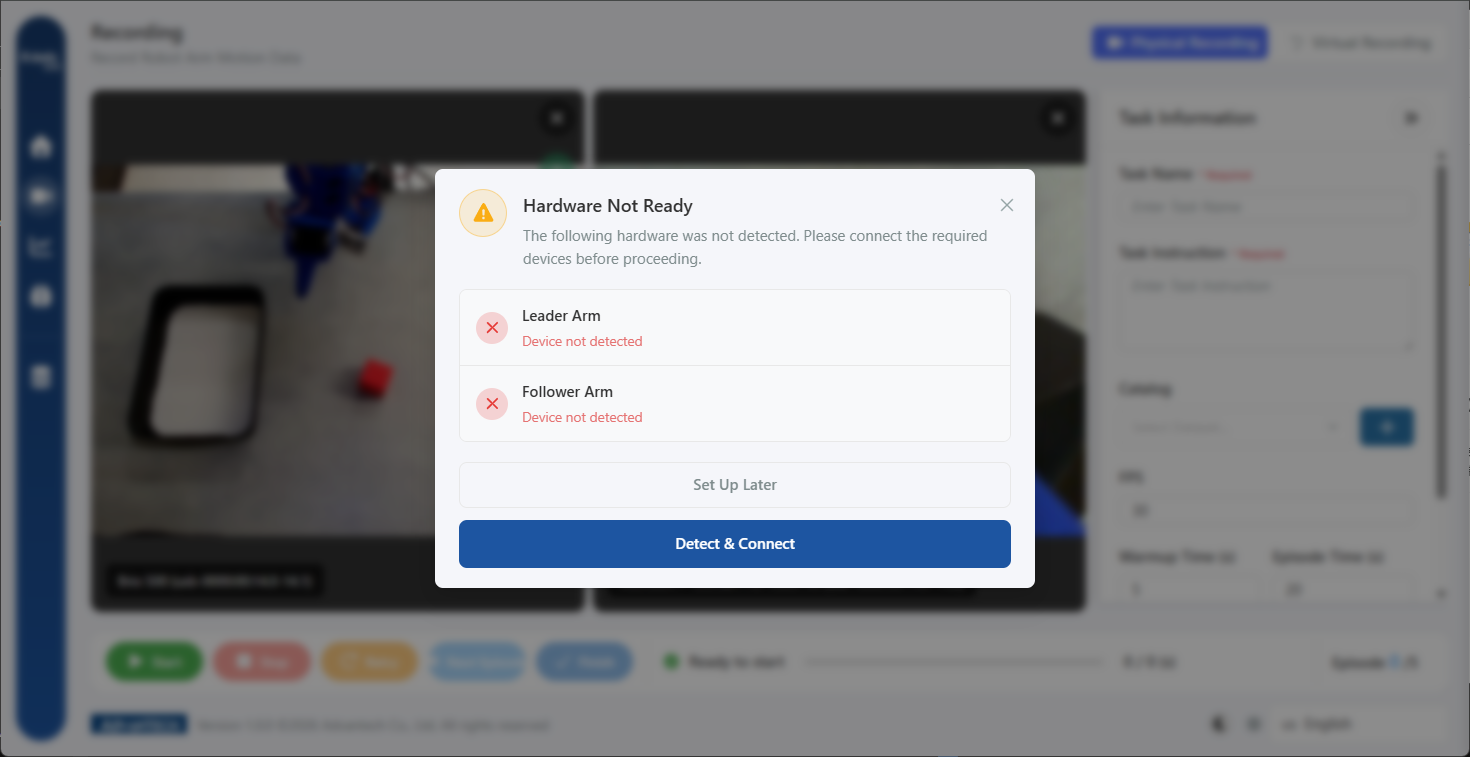
Supports multiple robot arms (OpenMANIPULATOR-X, SO-101), with an open camera design that avoids brand lock-in—USB webcams and Intel RealSense both work. Before you enter any hardware page, the system automatically checks device readiness and gives clear guidance on whatever is missing.
The interactive 3D calibration wizard mirrors your physical arm on screen in real time, guiding you axis by axis through the calibration. SO-101 additionally offers USB serial port auto-detection, identifying Leader and Follower by simply unplugging and replugging.
Demonstration Recording Studio #
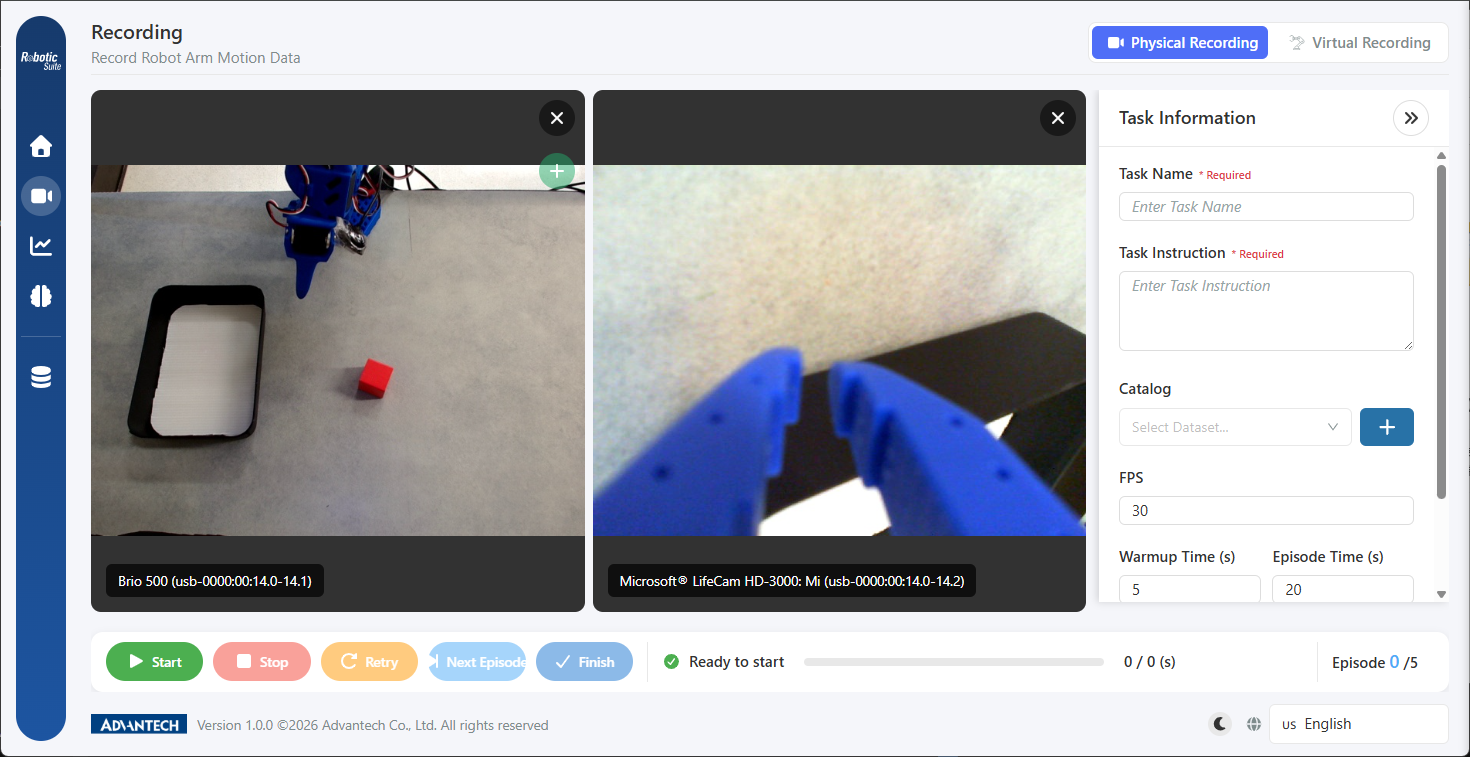
Leader-Follower architecture: manually guide the leader arm and the follower arm copies the motion in sync, while multi-camera footage and full joint trajectories are recorded together. Wrist and overhead views are both supported, and you can add or remove viewpoints at any time. Segmented task management, per-episode re-recording, and real-time preview are all built in, with data saved directly in LeRobot standard format.
Simulation Environment: Auto-Generated Training Data #
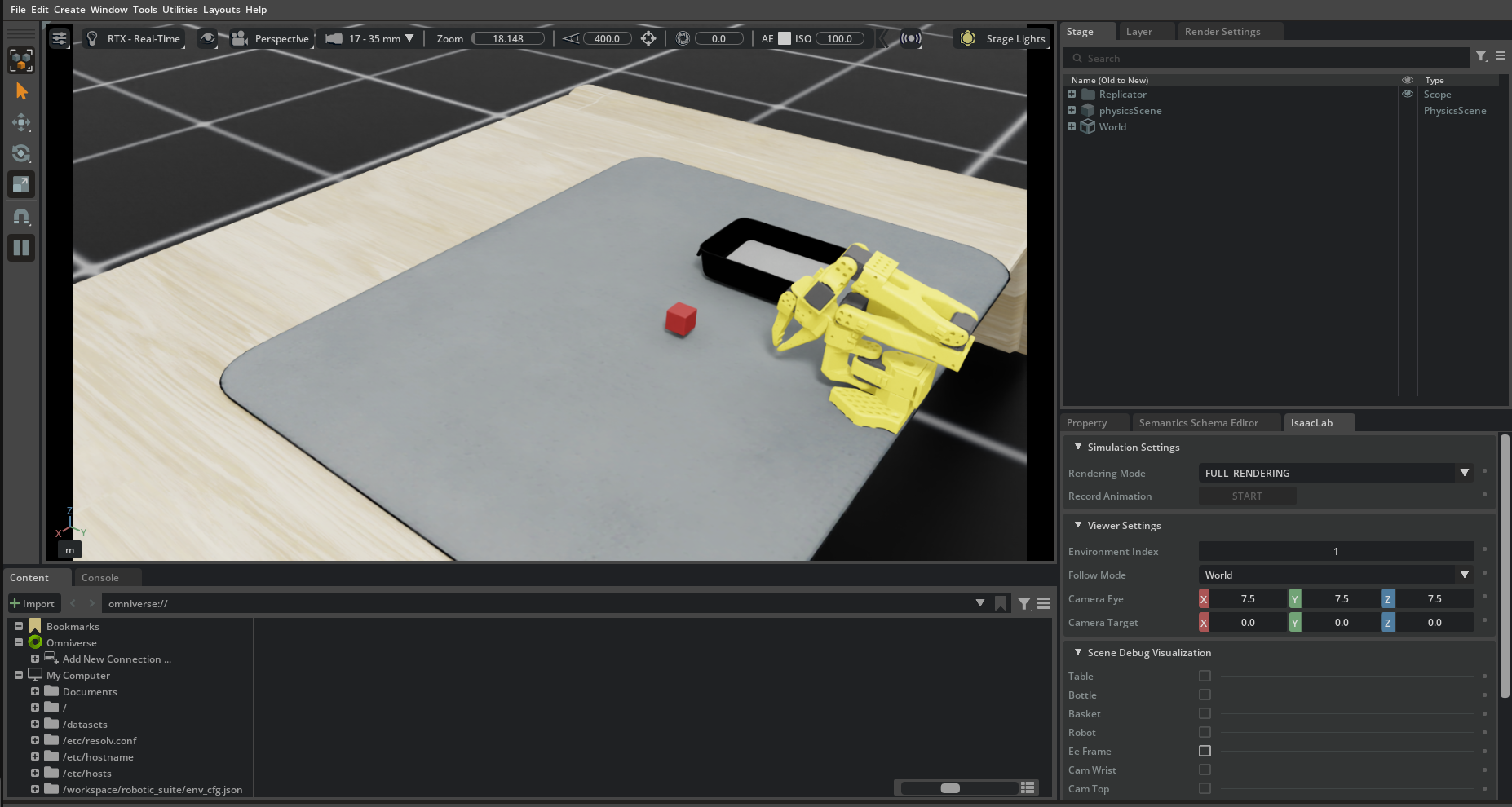
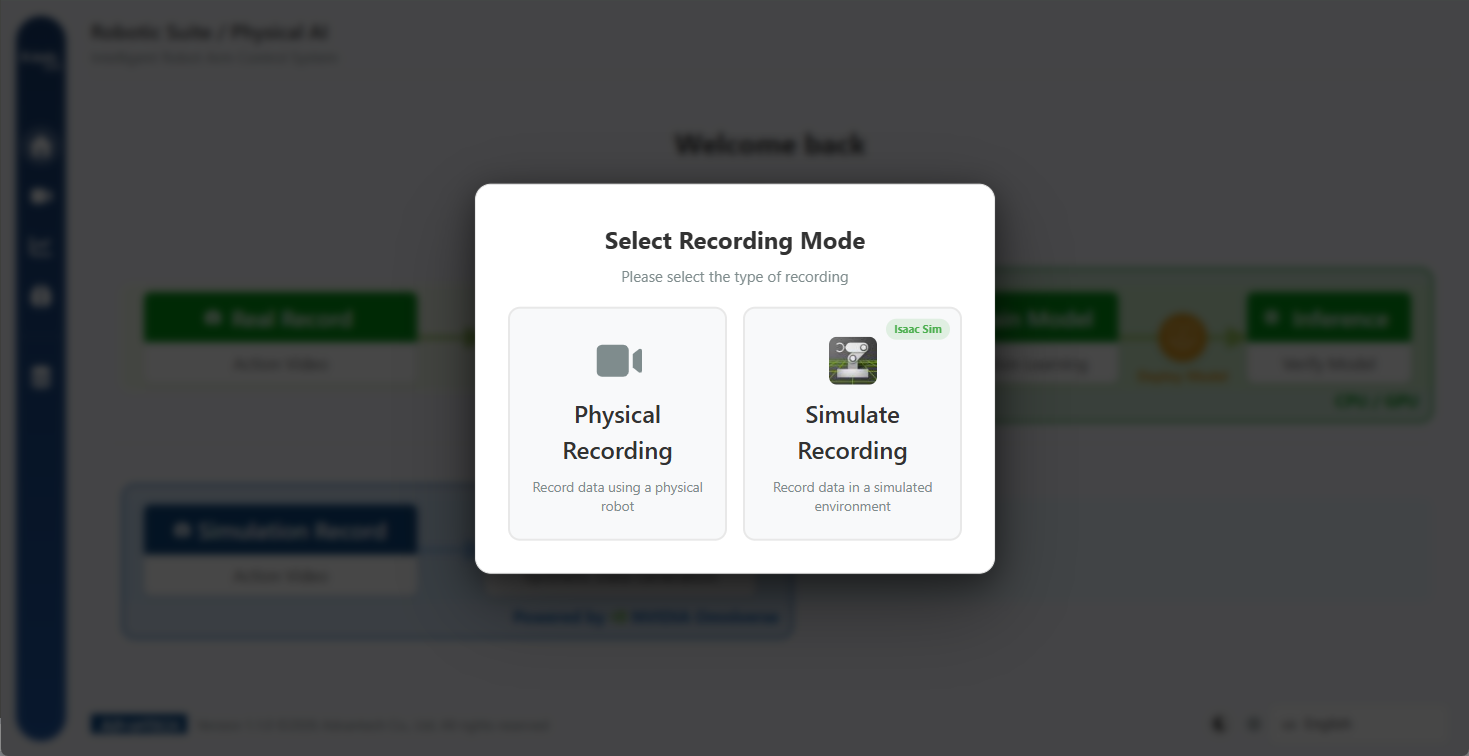
No need to repeat the same demonstration over and over—one pass in the Isaac Lab simulation environment generates dozens to hundreds of training samples. You can set randomization ranges for objects and cameras, run multiple devices in parallel, and watch success-rate statistics update on screen in real time. Physical and virtual recording work exactly the same way, lowering both evaluation costs and the Sim-to-Real gap.
Training Studio #
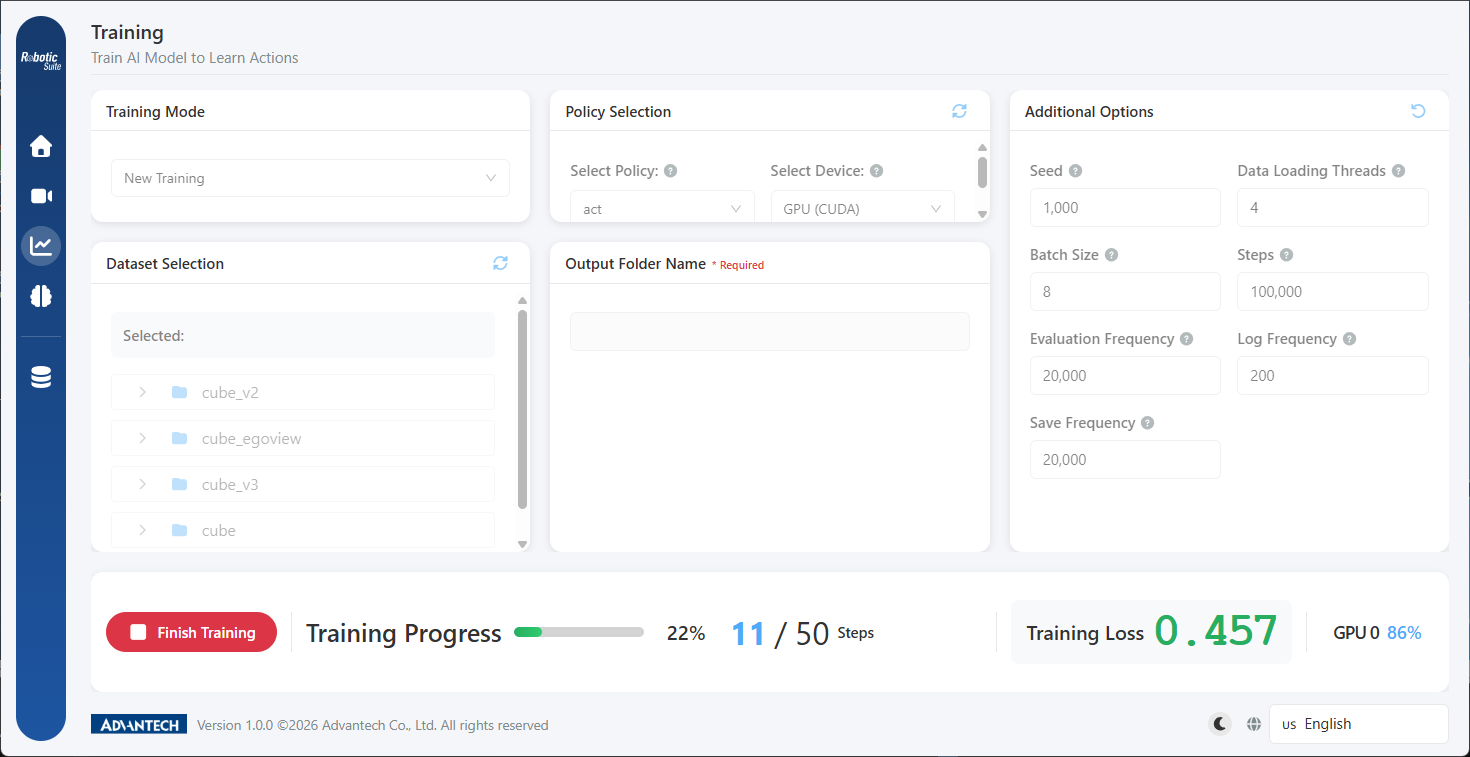
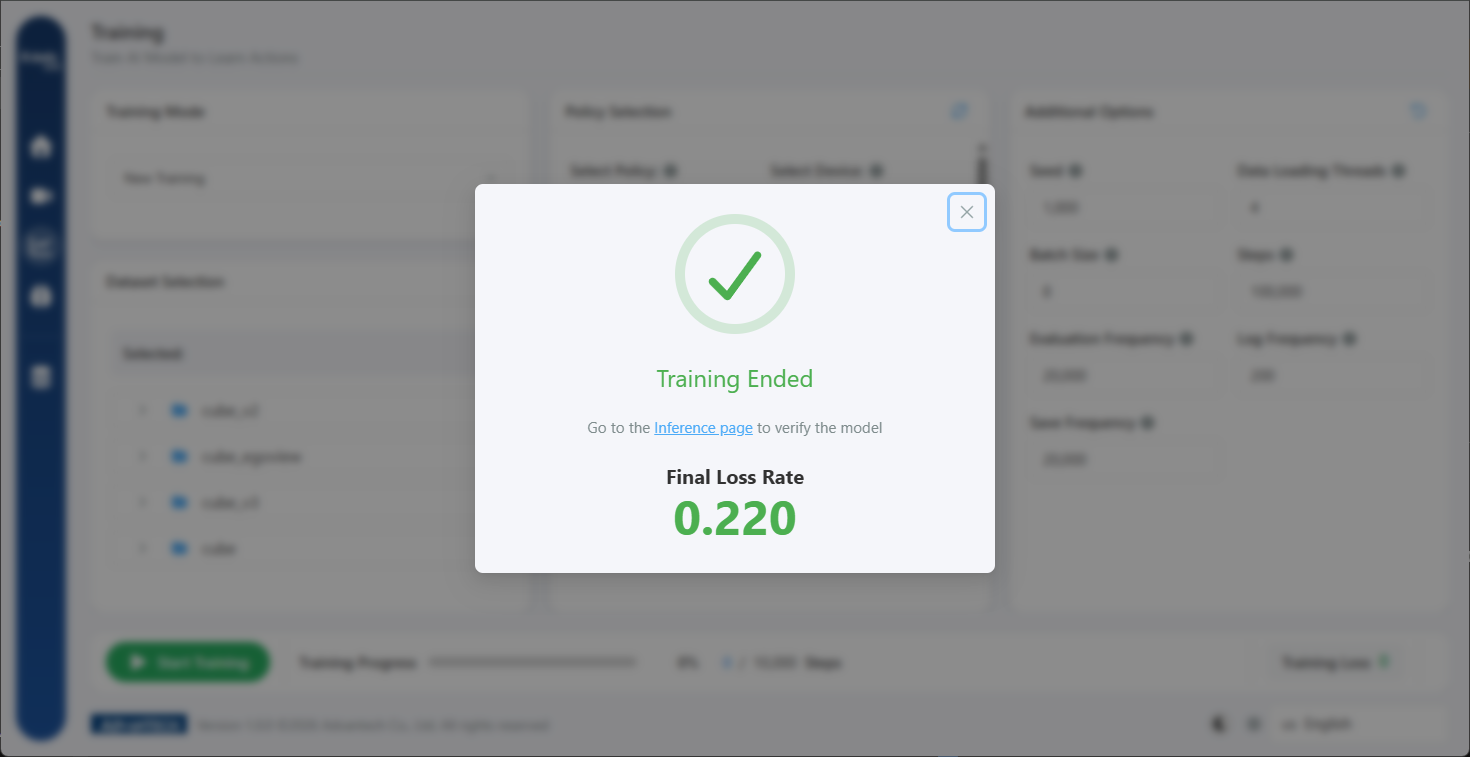
Everything from datasets, strategies, devices to advanced parameters is set via GUI. Supports ACT (single-task, fast training) and NVIDIA Isaac GR00T (multi-context, quick deployment with few demonstrations). Real-time progress, loss, and GPU usage are all visible; training can be stopped or resumed anytime, with no risk of losing progress.
Model Conversion & Edge Optimization #
Intel platform uses OpenVINO, NVIDIA uses TensorRT—model conversion is fully automated, with real-time progress reporting and easy tracking of historical versions.
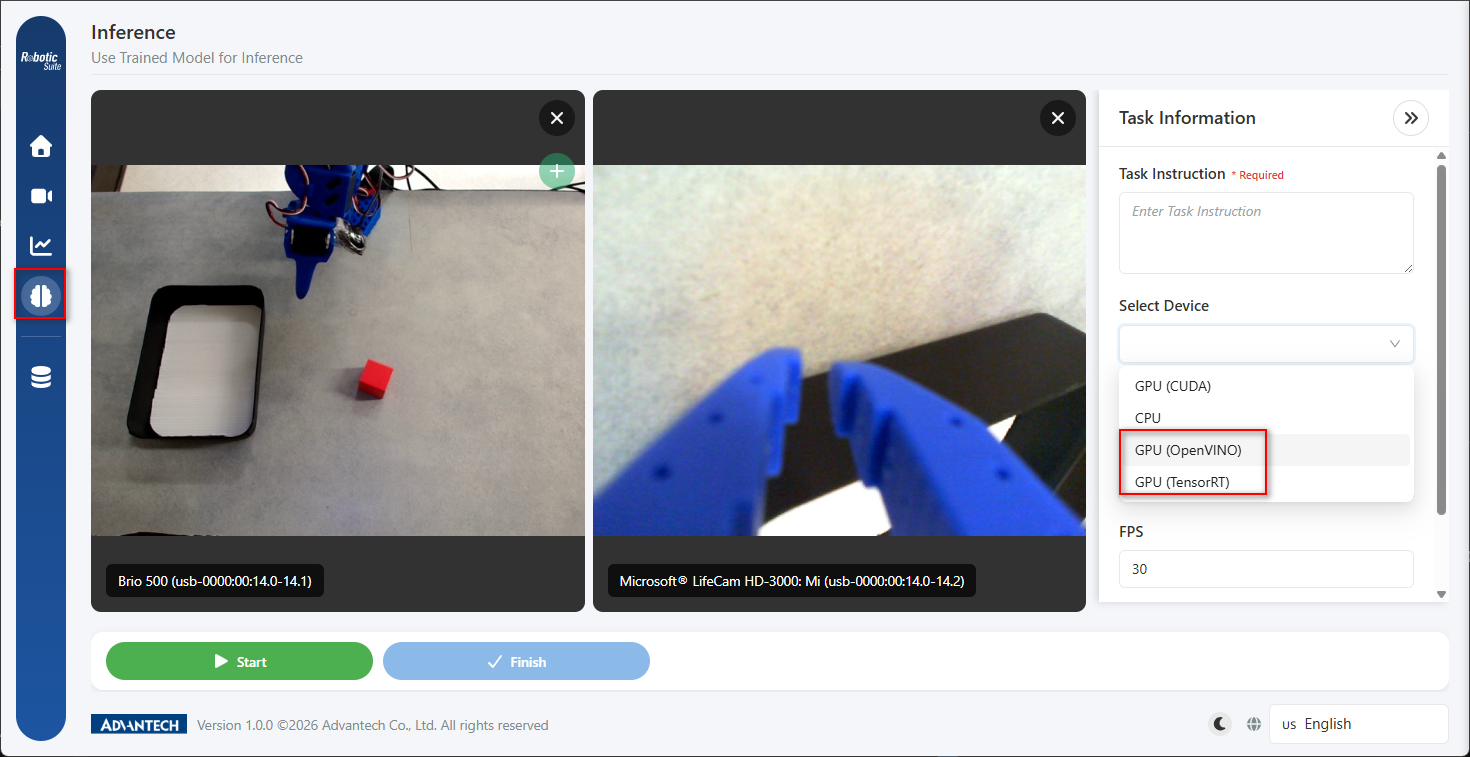
Inference & Real-Time Validation #
Inference page matches the recording interface—zero learning curve. Load models, set parameters, and the robot arm instantly replicates learned actions for direct comparison.
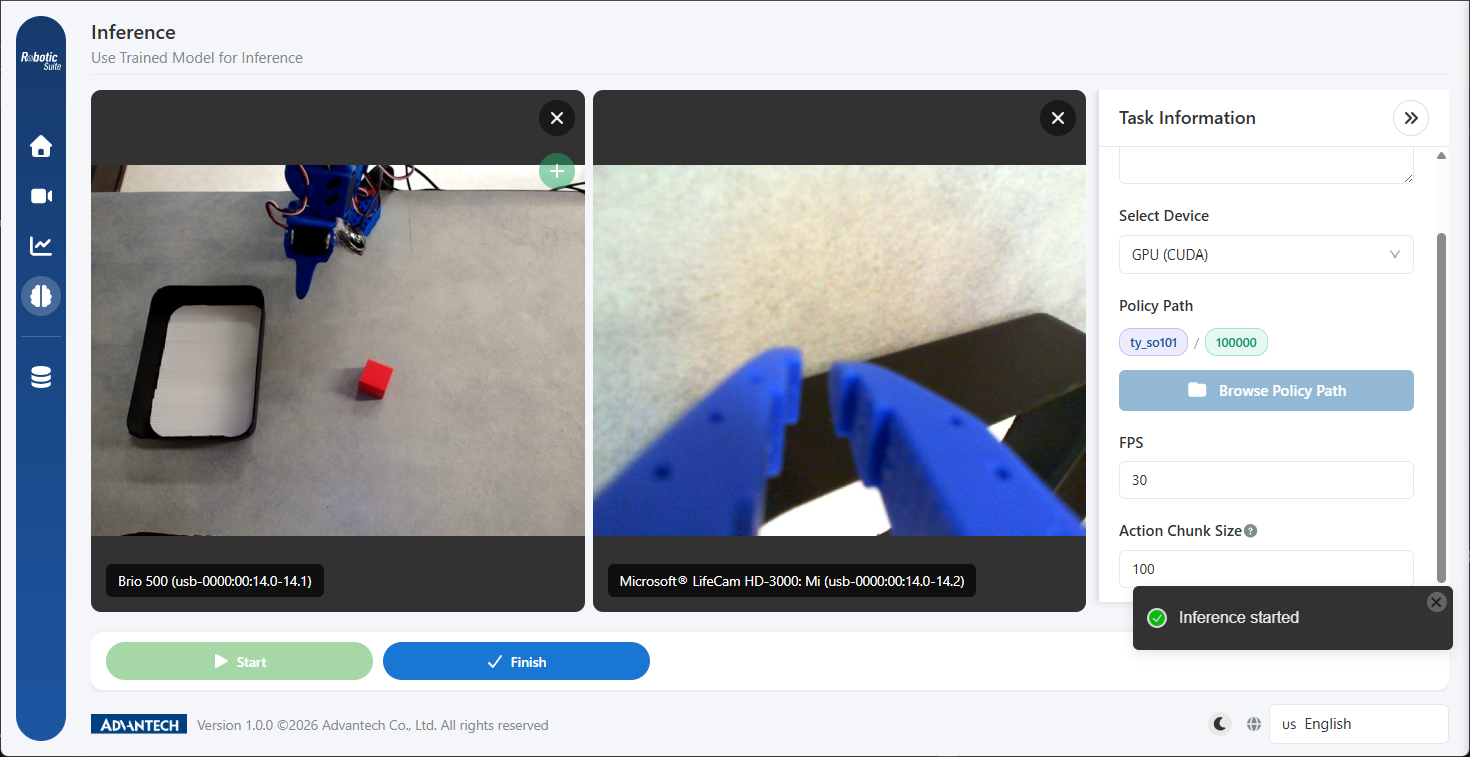
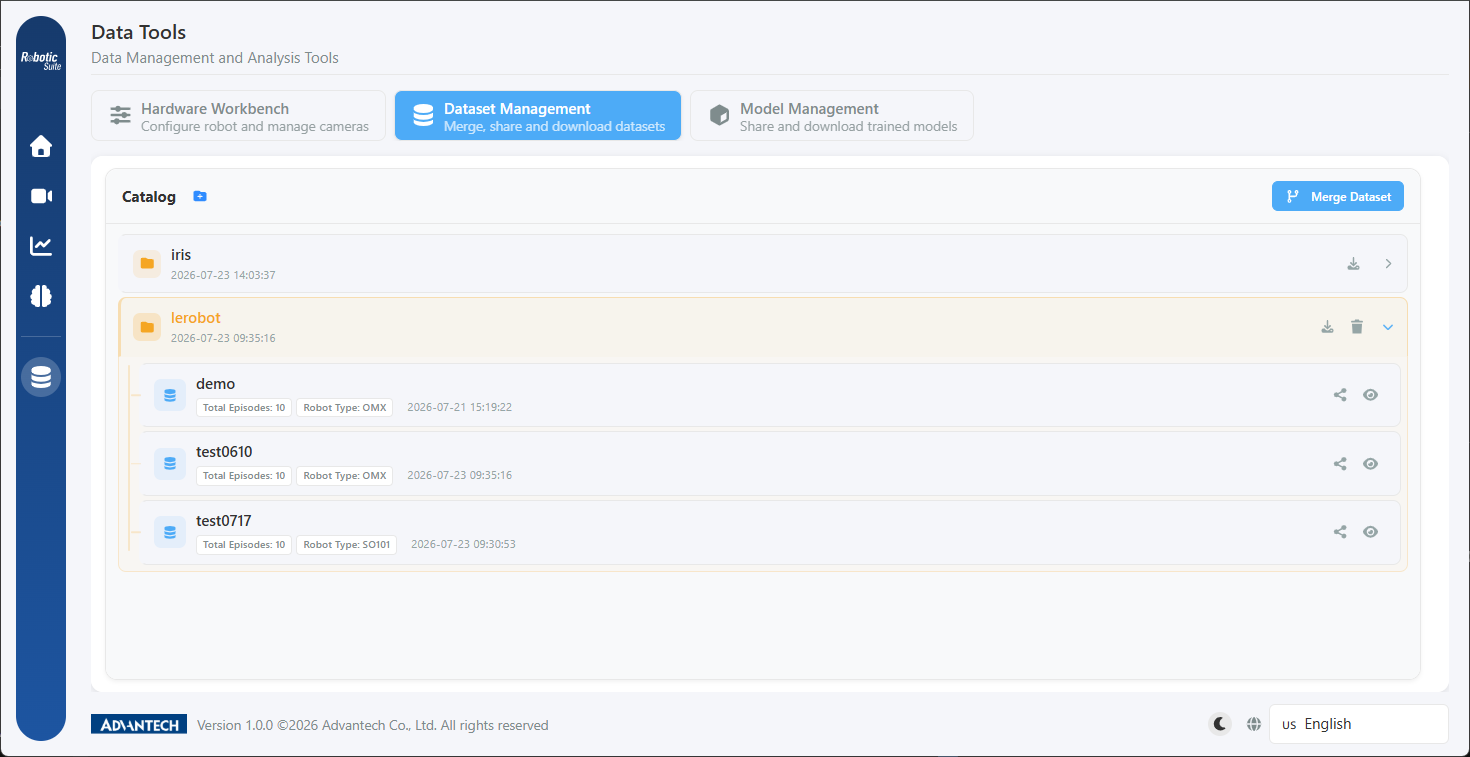
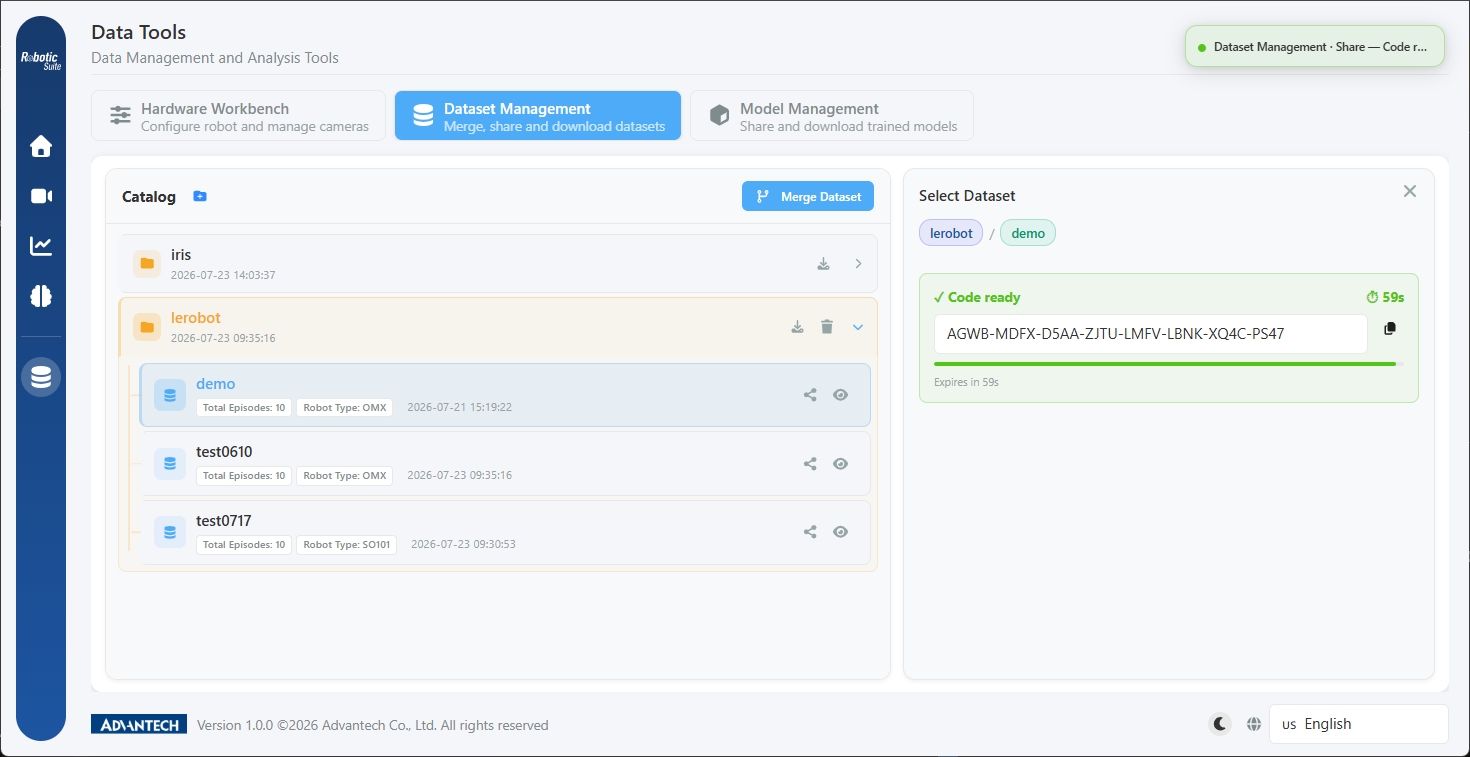
Dataset & Model Asset Management #
Manage training assets in one place, cross-device asset transfer is easy, and progress is always tracked.
Containerized Deployment & Guided Installation #
All services are modularized, one-click installation, Q&A-based setup is super easy, reducing environment setup from days to a single session. Recording, training, inference—all features ready and flexibly allocated.
Interface Design & User Experience #
Process-Oriented, Understandable for Everyone #
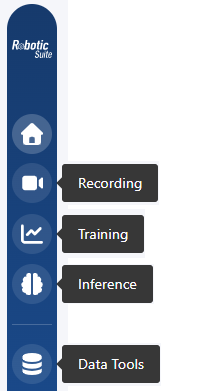
Sidebar design directly maps to main workflows, from homepage, recording, training to inference. Data tools are displayed separately—five main entry points are simple and clear.
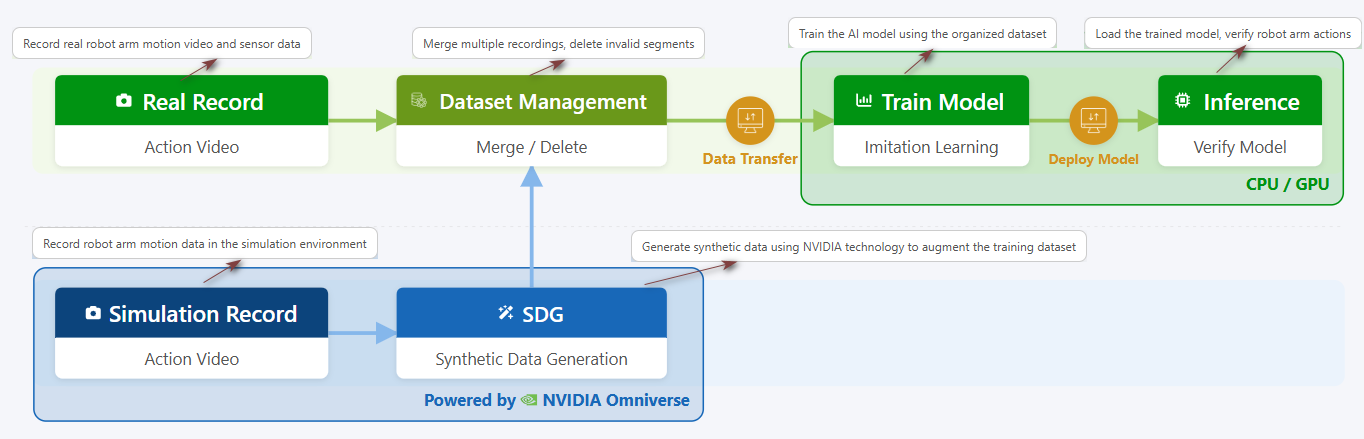
Homepage features an interactive workflow diagram—edge and server responsibilities are instantly clear, with node descriptions and quick jump options for a clear mental model.
Foolproof Design—Intercept Before Execution #
If hardware is not ready, you can’t access recording or inference pages. Folder naming conflicts are proactively flagged to prevent wasted effort.
Dynamic Feedback & Context Awareness #
Prompt messages auto-adjust position based on page context. Long operations feature full-screen overlays, background tasks use floating progress bars and sidebar badges for ongoing reminders.
Consistent Layout, Zero Learning Curve #
Recording and inference pages share identical components—no need to relearn operations from “teaching robots” to “validating results.”
Multi-Language & Multi-Theme Support #
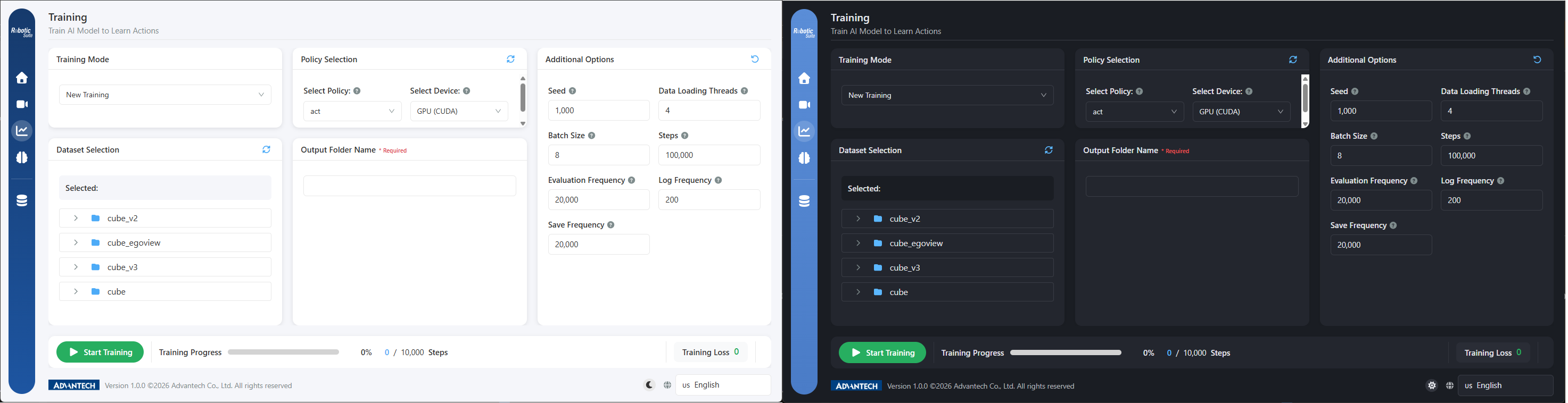
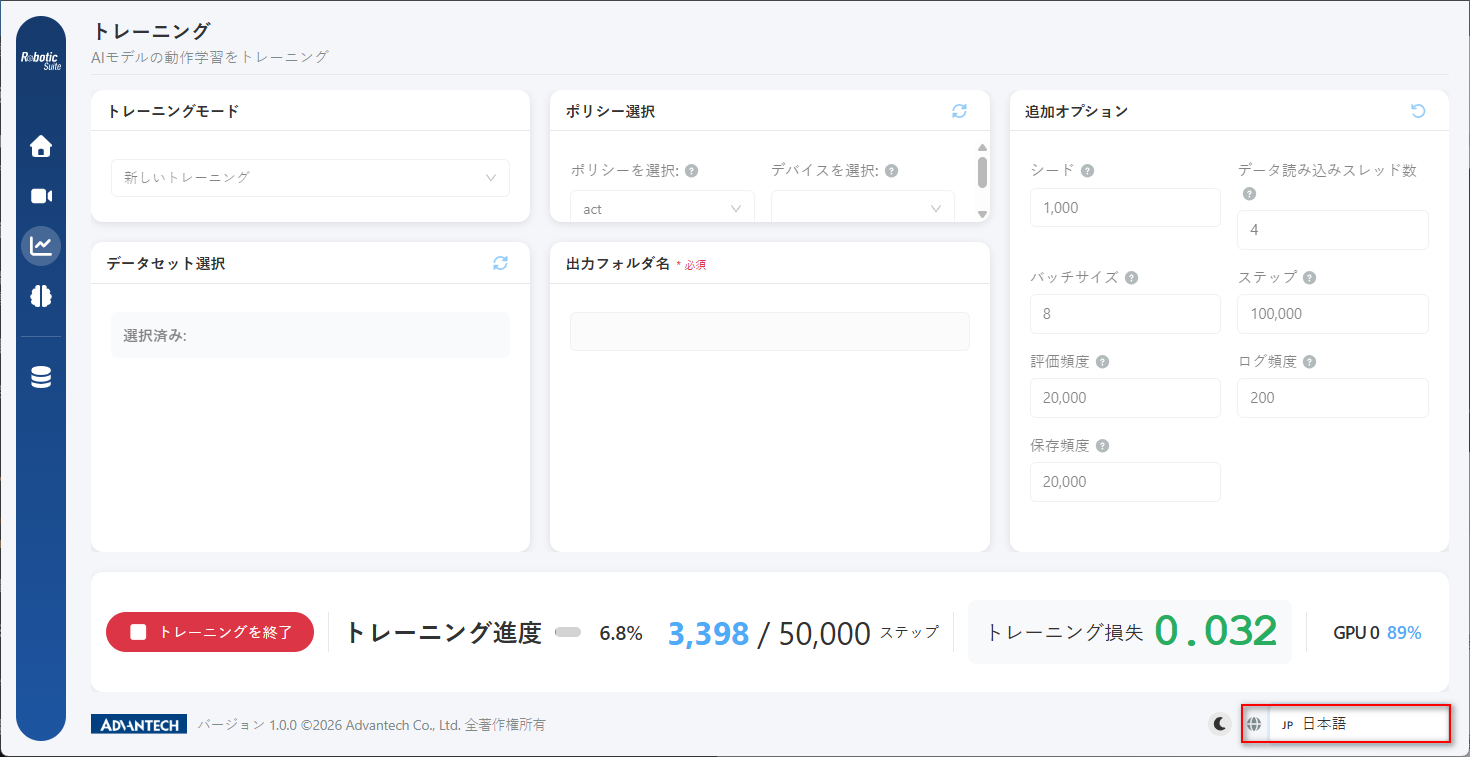
Switch freely between light/dark themes, five-language interface (Traditional Chinese, Simplified Chinese, English, Japanese, Korean), enabling easy collaboration for global teams.
Implementation Workflow: Eight Easy Steps to Master Physical AI #
Let’s see how easy it is to teach a robot arm new actions using Physical AI!
- Connect Hardware and Calibrate
Connect the robot arm and camera; the platform auto-detects devices. Use the 3D calibration wizard for motor calibration—results are saved automatically. - Select Robot and Camera
Choose the robot model and camera angle on the homepage; wrist + overhead dual views are recommended. - Record Demonstration Data
Create a dataset, name the task, guide the Leader Arm to demonstrate actions, Follower Arm synchronizes. Repeat several times to accumulate samples; poor quality can be re-recorded anytime. - Configure and Start Training
Select dataset, strategy, output folder, set batch size and training steps, then start training with one click. - Track Training Progress
Monitor progress, loss, GPU usage in real-time; pause or resume anytime with no risk of losing progress. - Model Conversion & Optimization
Choose OpenVINO or TensorRT based on deployment targets—conversion is fully automated with real-time progress display. - Inference Validation
Load model weights, start inference, robot arm replicates actions—directly compare learning results. - Data & Model Sharing & Reuse
Validated models can be transferred to other production devices; datasets can be saved for future training.
Advanced Usage:
Demonstrate once in simulation to auto-generate batches of training data; try different camera angle combinations to find the optimal setup.
Even if you’re a beginner, you can go from unboxing to model deployment in just one afternoon!
Conclusion & Future Outlook #
Physical AI makes robot learning as easy as recording a video, bringing automation to every production line, classroom, and innovation lab. Advantech continues to invest in R&D, constantly optimizing the platform. In the future, we’ll release more in-depth feature tutorials and application cases, exploring the limitless possibilities of robot learning with you!
In the next article, we’ll dive into best practices for “hardware integration and calibration”—stay tuned!
Physical AI – Making robot teaching easy, making automation possible.
Whether you’re an engineer, system integrator, or educational institution, Advantech helps accelerate adoption, lower barriers, and create new value.
Experience it now and start your era of intelligent robotics!