Unlocking a New Era of Remote Management: Advantech’s Hands-on Test of Intel AMT Smart Management Technology
·loading
Author
Advantech ESS
Table of Contents
Table of Contents
Imagine if your IT team could easily manage hundreds of devices anytime, anywhere—regardless of whether the devices are powered on or if the system has crashed, with everything under control. This is no longer just a vision, but a reality being realized in the Advantech laboratory! This time, we’re taking you into the world of Intel Active Management Technology (AMT), unveiling the mysteries of this remote management technology, and sharing our latest research and configuration experiment results. Whether you’re a tech novice, a sales professional, or simply curious about smart management, this article will help you easily understand the value and applications of AMT!
What is Intel AMT? Why Is Everyone Talking About It Now?
#
In the era of digital transformation, edge computing, and explosive growth of IoT devices, remote management has become an indispensable capability for enterprises. Intel AMT acts as a super assistant for IT management, built into Intel chipsets as a hardware-level remote management solution.
Remote Power On/Off, Restart, and Wake-on-LAN: No need for on-site presence—IT can handle everything with a single click.
Hardware Asset Management: Full control over device specifications and health status.
Console Access: Even if the operating system crashes, administrators can still connect for rescue.
KVM Remote Desktop: Complete remote control of keyboard, mouse, and screen.
Security Isolation Design: Management channels are independent from the operating system, significantly enhancing security.
These features are exactly what today’s enterprises, factories, and healthcare industries need for “unattended operation” and “high-efficiency maintenance”!
Advantech Lab’s Complete Record of AMT Configuration
#
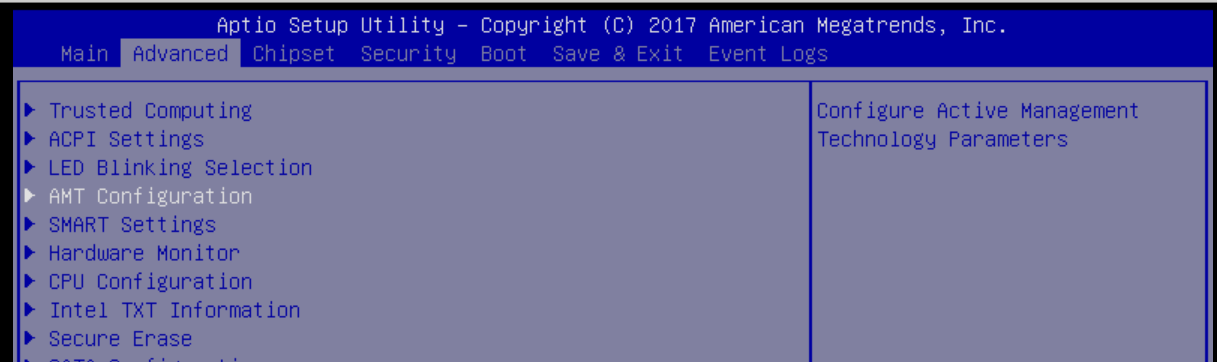
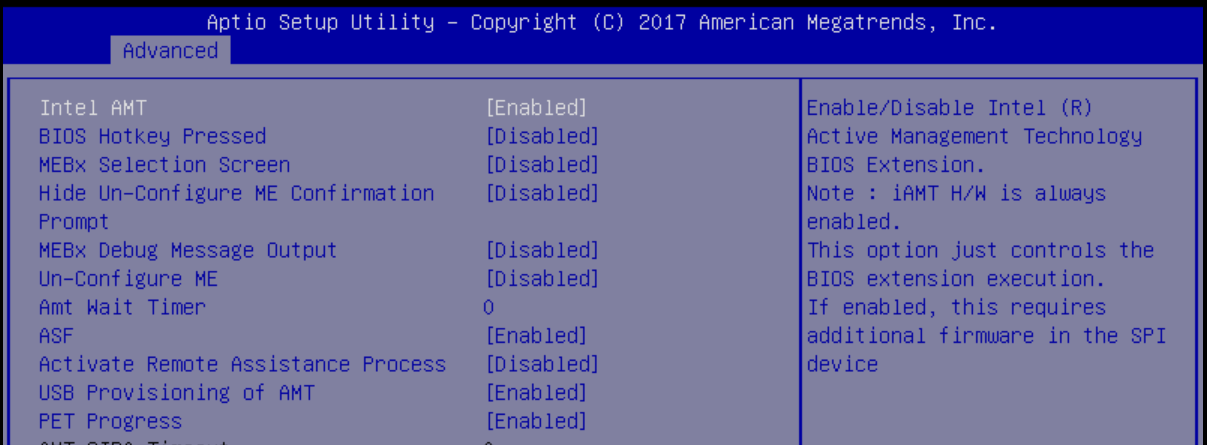
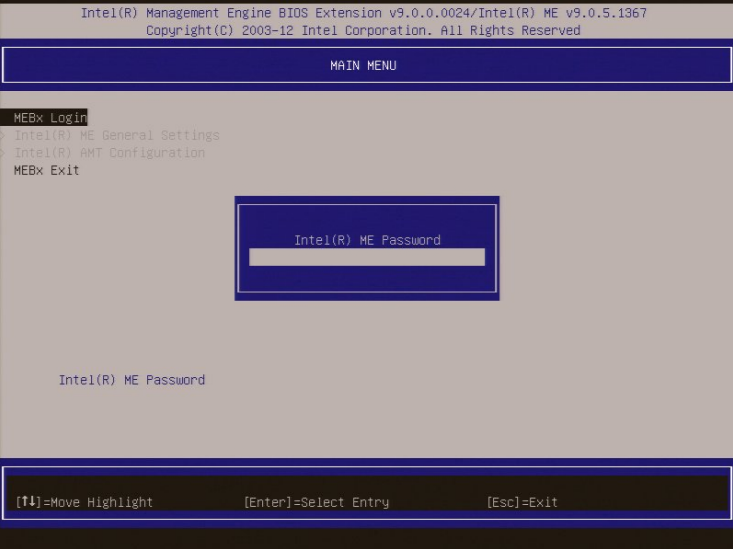
In this experiment, our goal was to successfully enable Intel AMT on Advantech devices (using the UNO-148 as an example) and connect it to our own DeviceOn management platform to achieve truly comprehensive remote management. Below are our complete, transparent experimental steps:
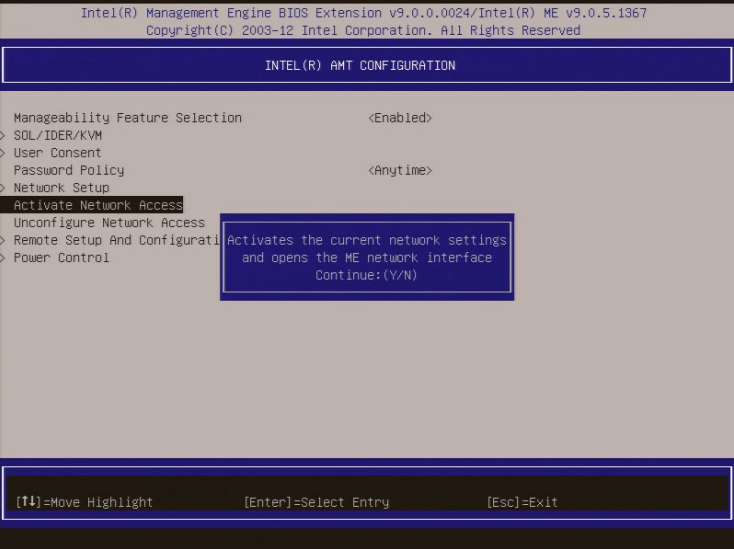
Enter the Intel AMT settings menu, select “Activate Network Access”, and switch the management engine to the enabled state.
When you see “Update Network Settings,” press Enter, and confirm by pressing Y at the warning prompt.
Step 4: Log into the AMT Web Management Interface
#
Ensure the device is powered on and on the same local network
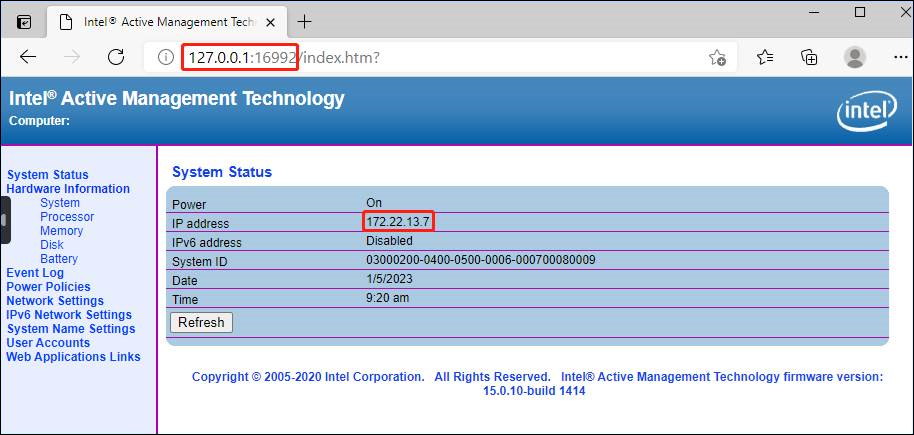
On the management computer, open a browser and enter the IP address and port shown in MEBx
Important Reminder!
From Intel 12th and 13th generation processors onwards, only secure TLS connections (https://IP:16993) are supported; the old http://IP:16992 is no longer supported!
The login username is admin, and the password is the one you just set.
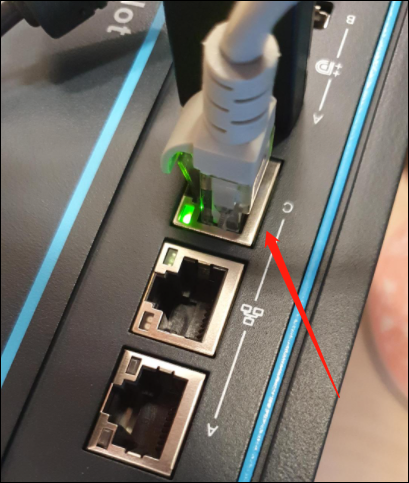
Tip: If the device has multiple network ports, only specific interfaces may support AMT. For example, the UNO-148 must use Port C!
Step 5: Integrate with DeviceOn Smart Management Platform
#
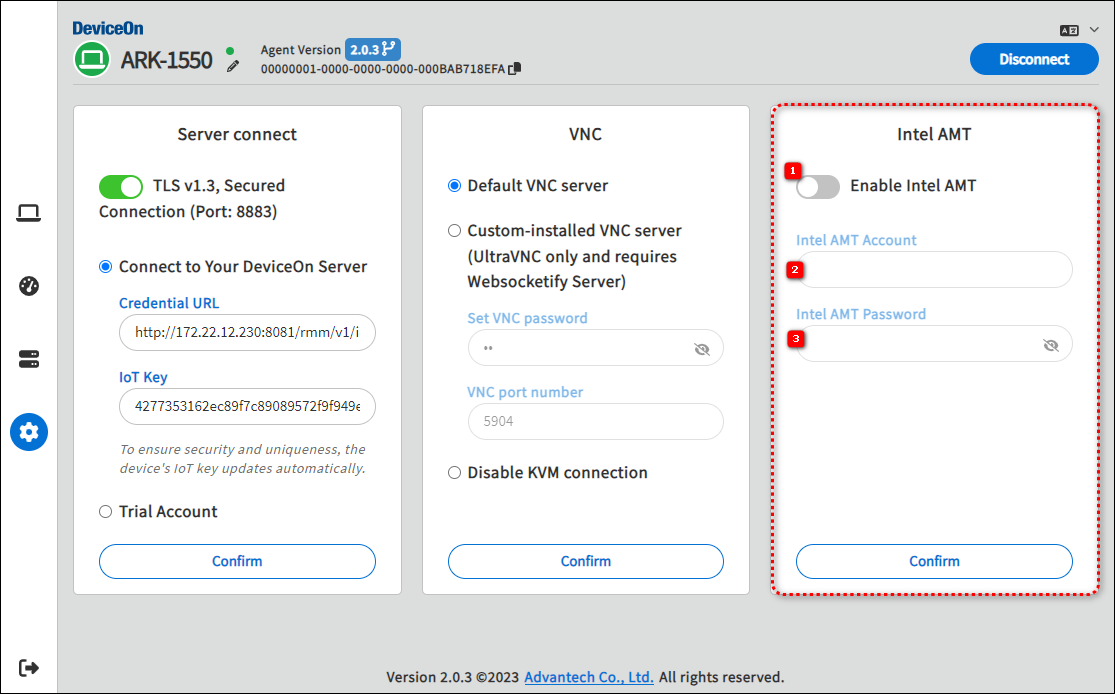
In the DeviceOn Agent settings page, enable Intel AMT
Enter the username admin and the password you just set
Reconnect to the DeviceOn Server
What Did We Discover? Experiment Highlights at a Glance!
#
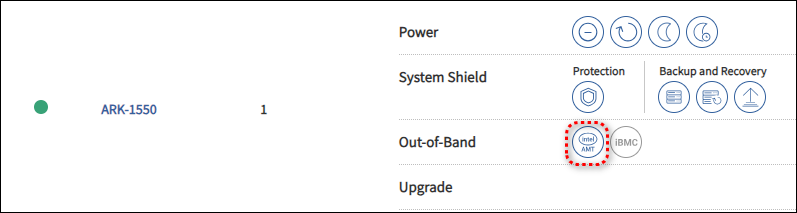
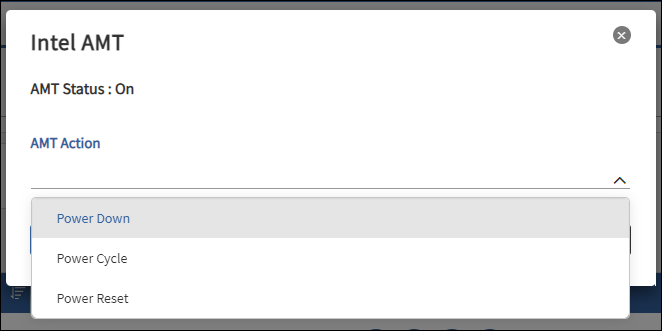
DeviceOn Can Instantly Connect to AMT Devices: Remote power-on, restart, and shutdown are easily accomplished.
Enhanced Security: Fully encrypted communication throughout, preventing data leakage risks.
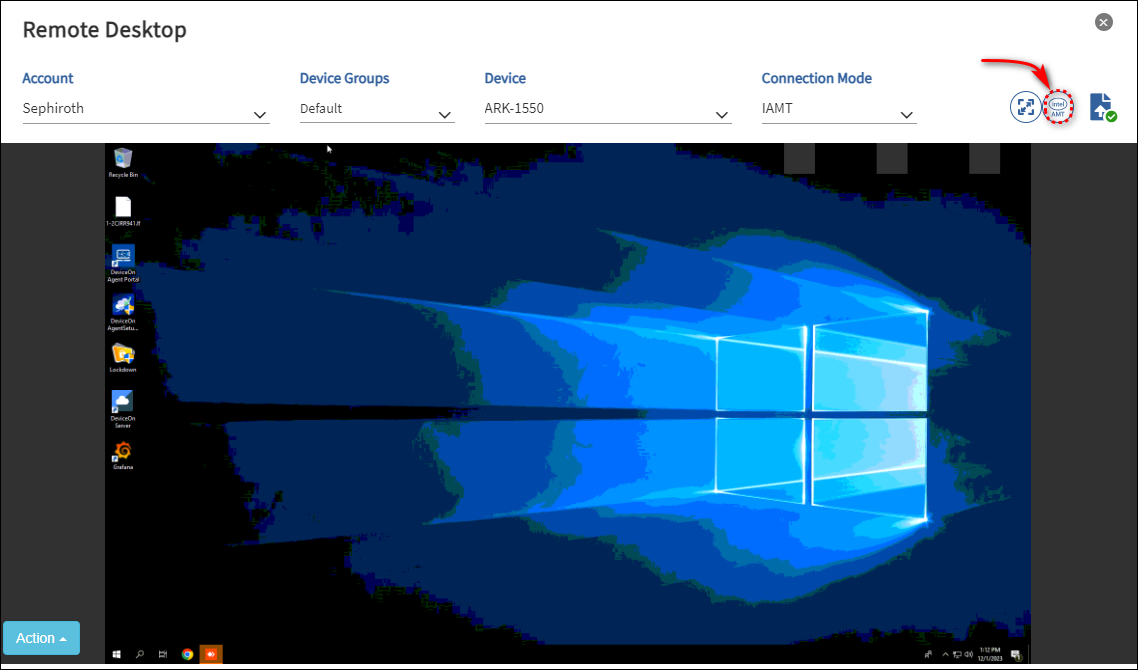
Ultra-Convenient Remote Desktop Rescue: Even if the operating system crashes, you can use AMT’s built-in VNC Server for remote desktop operations.
Intuitive Management Interface: Clean interface with a low learning curve—both IT and non-technical personnel can quickly get started.
Device Status at a Glance: Real-time device health information displayed, greatly improving maintenance efficiency!
This technology not only boosts IT management efficiency but also brings new value to industrial automation, smart healthcare, retail, smart cities, and more:
On-site Manpower Savings: No need to send personnel on-site for troubleshooting—over 80% of issues can be resolved remotely.
Immediate Response to Anomalies: When devices encounter issues, they can be remotely rebooted or repaired instantly, reducing downtime.
Stronger Information Security: Separation of management and data channels reduces the risk of hacker intrusion.
Reduced Operating Costs: Remote maintenance cuts down on travel and labor expenses, creating a higher return on investment.
Advantech Continues to Innovate, Leading the Future of Smart Management
#
This AMT experiment not only proves our strength in the field of remote device management, but also demonstrates Advantech’s commitment to R&D and innovation. In the future, we will continue to expand smart management solutions, helping customers easily ride the wave of digital transformation and industrial upgrades.
Interested in learning more? Visit the official Intel AMT technical documentation: Intel AMT Support Articles
Let’s create a new era of smart management without limits!