AI in Action! Easily Launch the DeepSeek-R1 Large Model with Advantech Jetson Orin

· loading
Author
Advantech ESS
Table of Contents

Have you ever wondered if running the latest AI large models at lightning speed on an industrial-grade platform is really that out of reach? In this experiment, our team successfully ran the popular DeepSeek-R1 and various LLMs on Advantech’s latest Jetson Orin series platforms, bringing smart applications one step closer to reality! Join us as we witness a new breakthrough in AI technology together!


Why Run Large AI Models on Jetson Orin?
#

As AI becomes increasingly widespread, the demand for edge computing continues to rise. Whether in smart manufacturing, retail, transportation, or healthcare, real-time on-site inference and massive data processing are becoming critical. The NVIDIA Jetson Orin platform is renowned for its high performance and low power consumption, making it particularly suitable for deploying advanced AI applications. However, enabling large language models like DeepSeek-R1 to run smoothly on edge devices is not without its challenges. This experiment aims to verify and optimize this process, bringing AI truly to the field!


Experimental Platform and Technology Overview
#

The Star of the Show: Advantech Jetson Orin Family
#

Two main platforms were used in this test:

  • EPC-R7300: Equipped with NVIDIA Jetson Orin Nano-Super 8GB, 128GB NVMe SSD, running JetPack 6.1.
  • AIR-030: Equipped with NVIDIA Jetson Orin AGX 32GB/64GB, 64GB NVMe SSD, running JetPack 6.0.

Whether you need lightweight inference or powerful performance to support larger models, these two platforms meet the needs of different scenarios!

Supported Models Overview
#

  • EPC-R7300: Supports DeepSeek R1 Qwen-1.5B, Qwen-7B, Llama-8B
  • AIR-030: Additionally supports DeepSeek R1 Qwen-32B, Llama-70B

This means that from small to ultra-large LLMs, Advantech platforms are ready to go right out of the box!


Full Experiment Workflow: Running AI Has Never Been Easier!
#

Imagine being able to achieve natural language conversations, mathematical reasoning, and a variety of professional applications on your own device in just a few steps. Below are the complete experimental steps—whether you are an engineer or a business partner, you can get started with ease!

1. Install Docker and Jetson-Containers
#

Quickly install following the official steps. For detailed instructions, refer to: NVIDIA Jetson AI Lab Installation Guide

Install jetson-containers:

cd /home/ubuntu/Downloads
git clone https://github.com/dusty-nv/jetson-containers
bash jetson-containers/install.sh

2. Turn Off System Notifications for an Uninterrupted Experiment
#

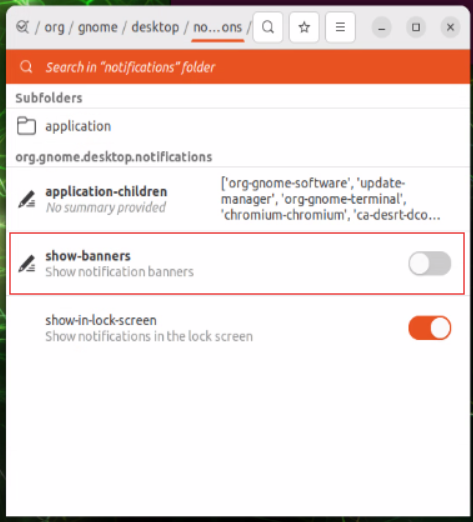
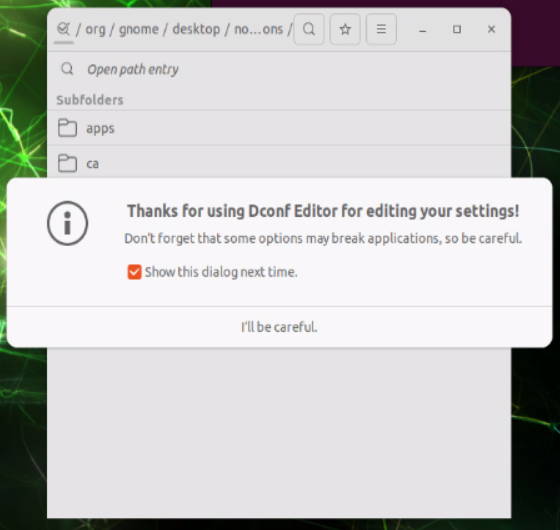
  • Turn off pop-up warnings to avoid interruptions during testing
    Image_(1)_1736408304229.png
  • Install dconf-editor
    sudo apt update
    sudo apt install dconf-editor
    
  • Use dconf-editor to navigate to /org/gnome/desktop/notifications/ and disable notifications as shown
    Screenshot_2025-01-09_154148_1736408528685.png

    Screenshot_2025-01-09_154419_1736408674621.png

3. Launch Ollama and Open WebUI
#

Start the Ollama Docker Container
#

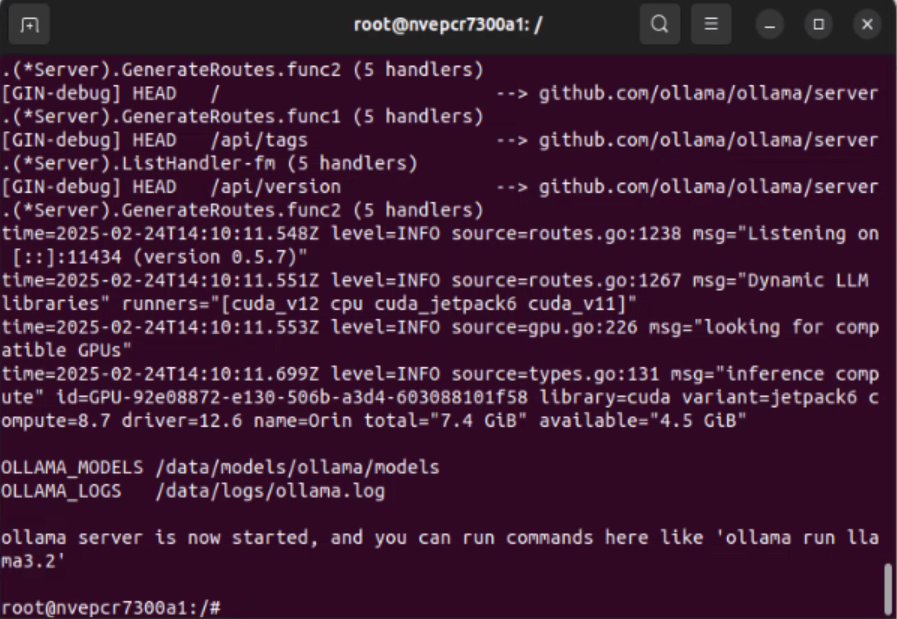
jetson-containers run --name ollama dustynv/ollama:r36.4.0

Please keep the command window open after running.

Ollama Startup Screen

Start Open WebUI for Browser Access
#

In a new command window, run:

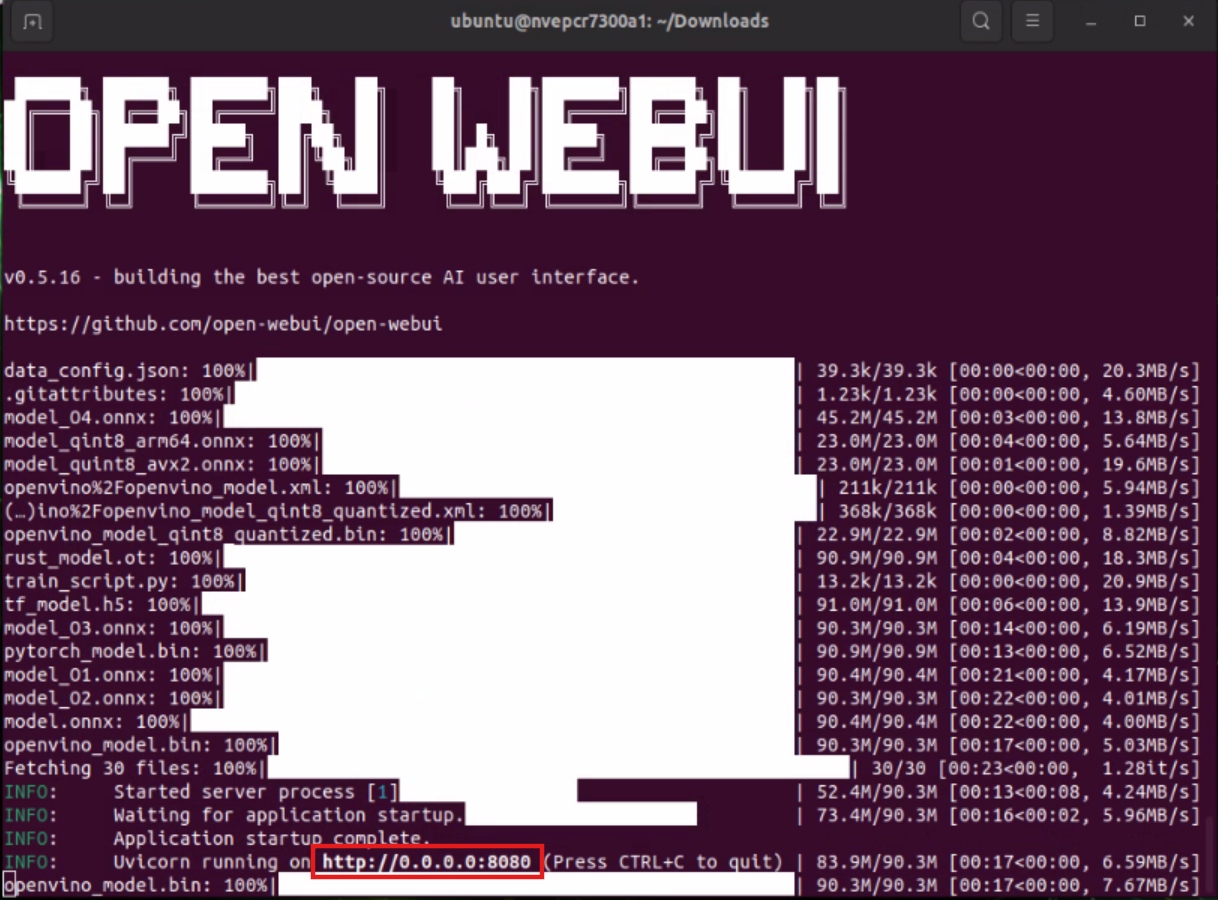
docker run -it --rm --network=host -e WEBUI_AUTH=False --add-host=host.docker.internal:host-gateway ghcr.io/open-webui/open-webui:main

Also keep this window open.

Open WebUI Startup Screen

4. Operate Large AI Models via Browser
#

Step 1: Enter the Browser Interface
#

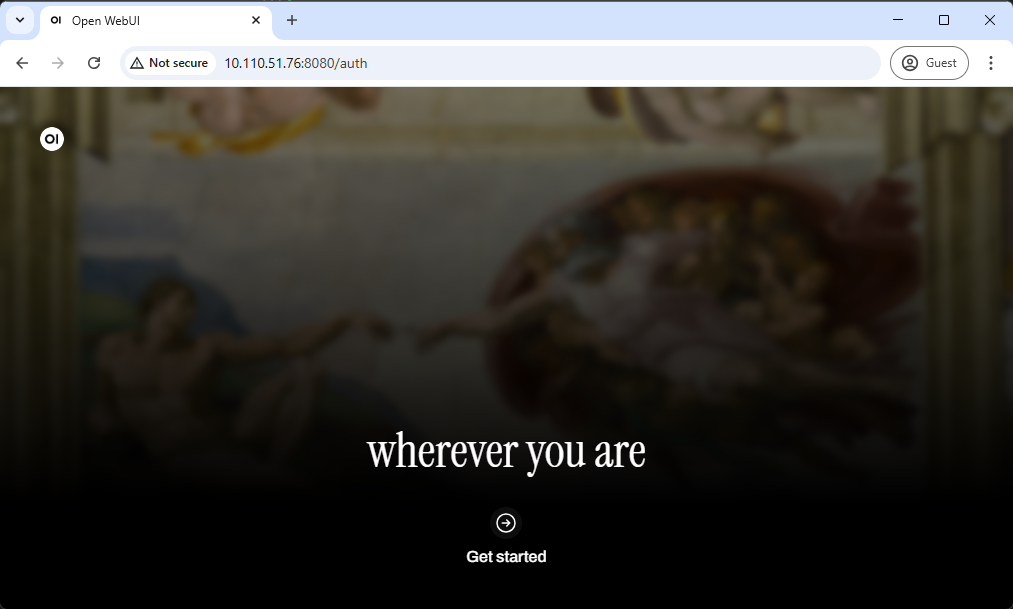
Open http://0.0.0.0:8080 (or the IP shown in the command window). You will see the initial screen:

Initial Screen

Click “Get started”.

Step 2: Continue Setup
#

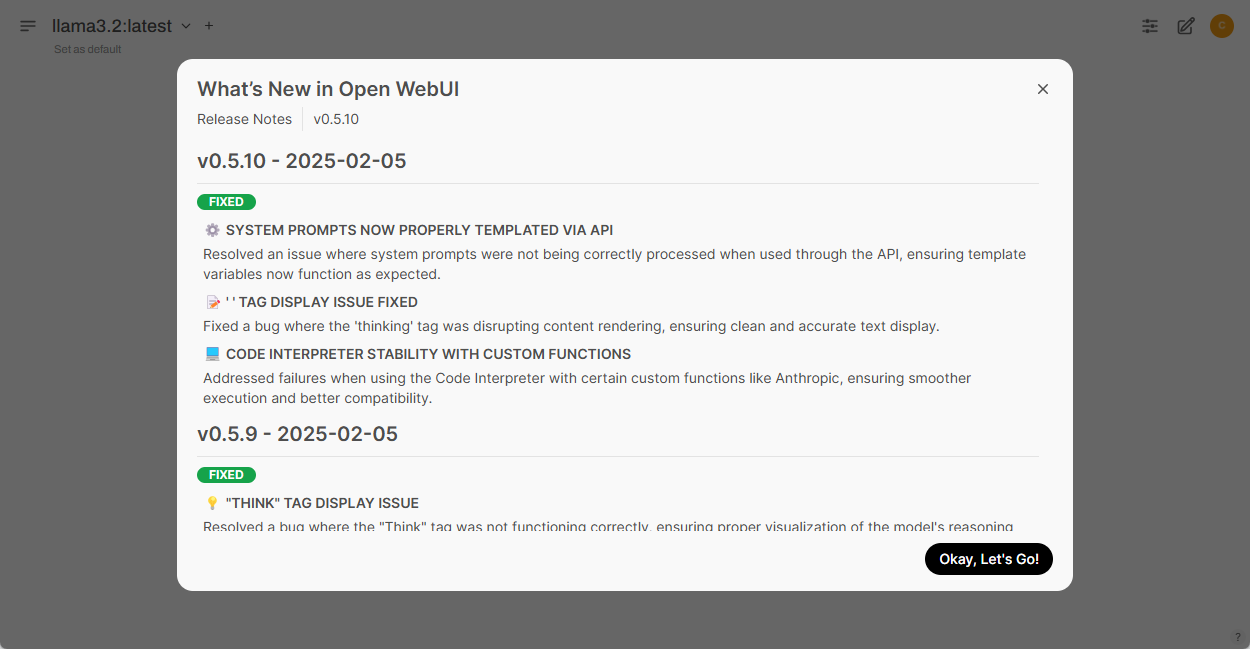
Click “Okay, Let’s Go!” to begin the experience.

Setup Screen

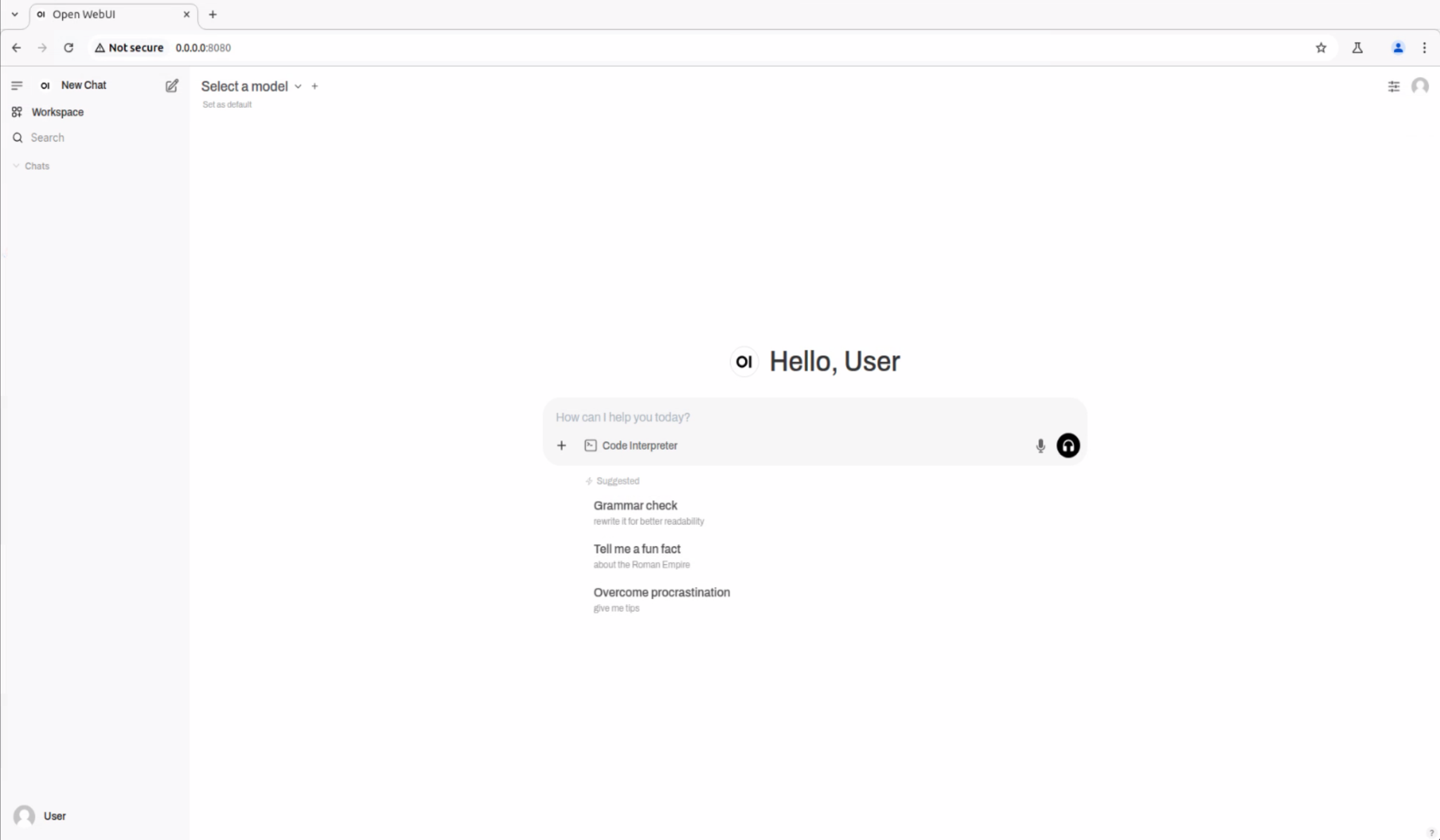
Once complete, you will see the main interface:
Main Interface

Step 3: Download and Select Large Models
#

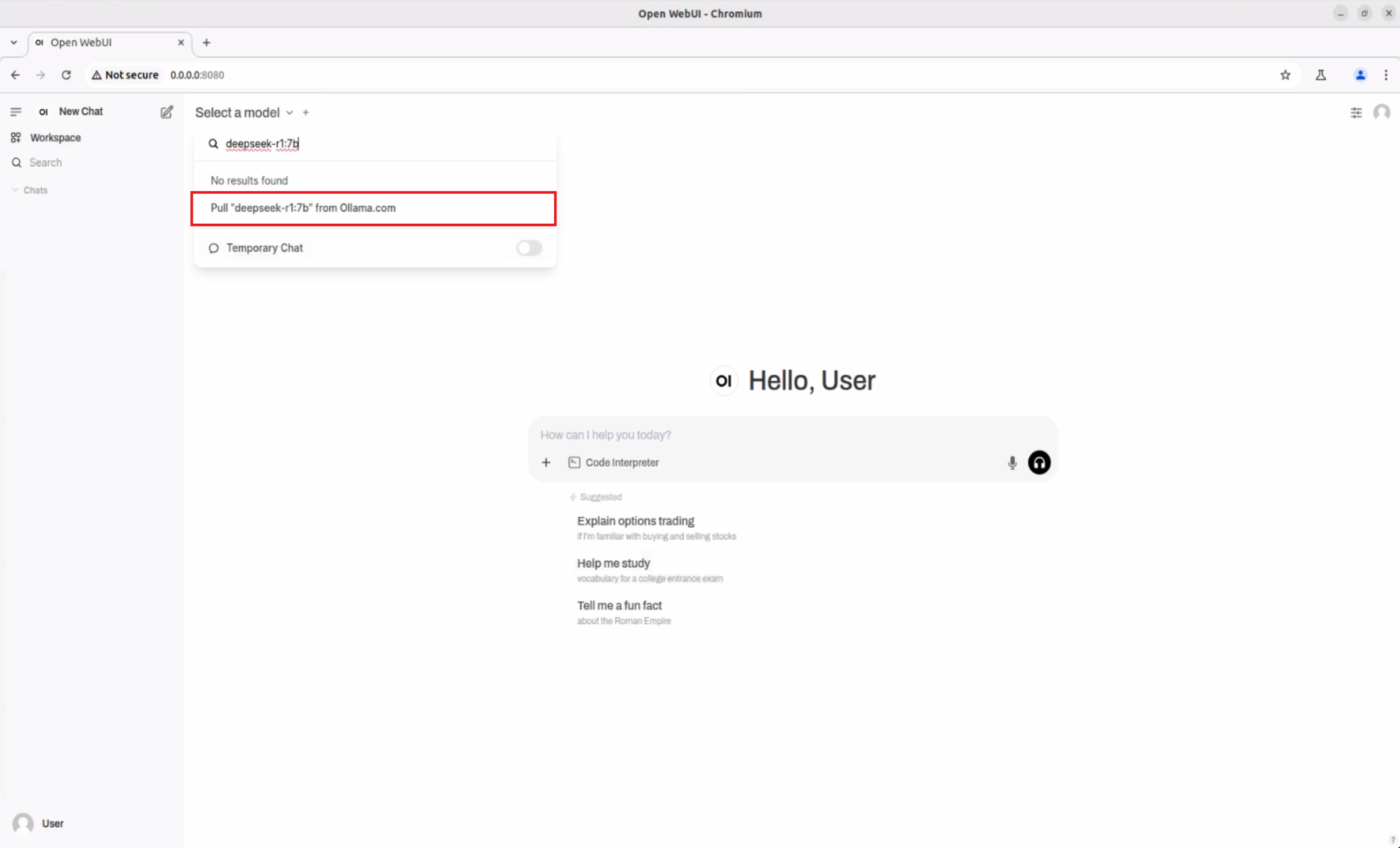
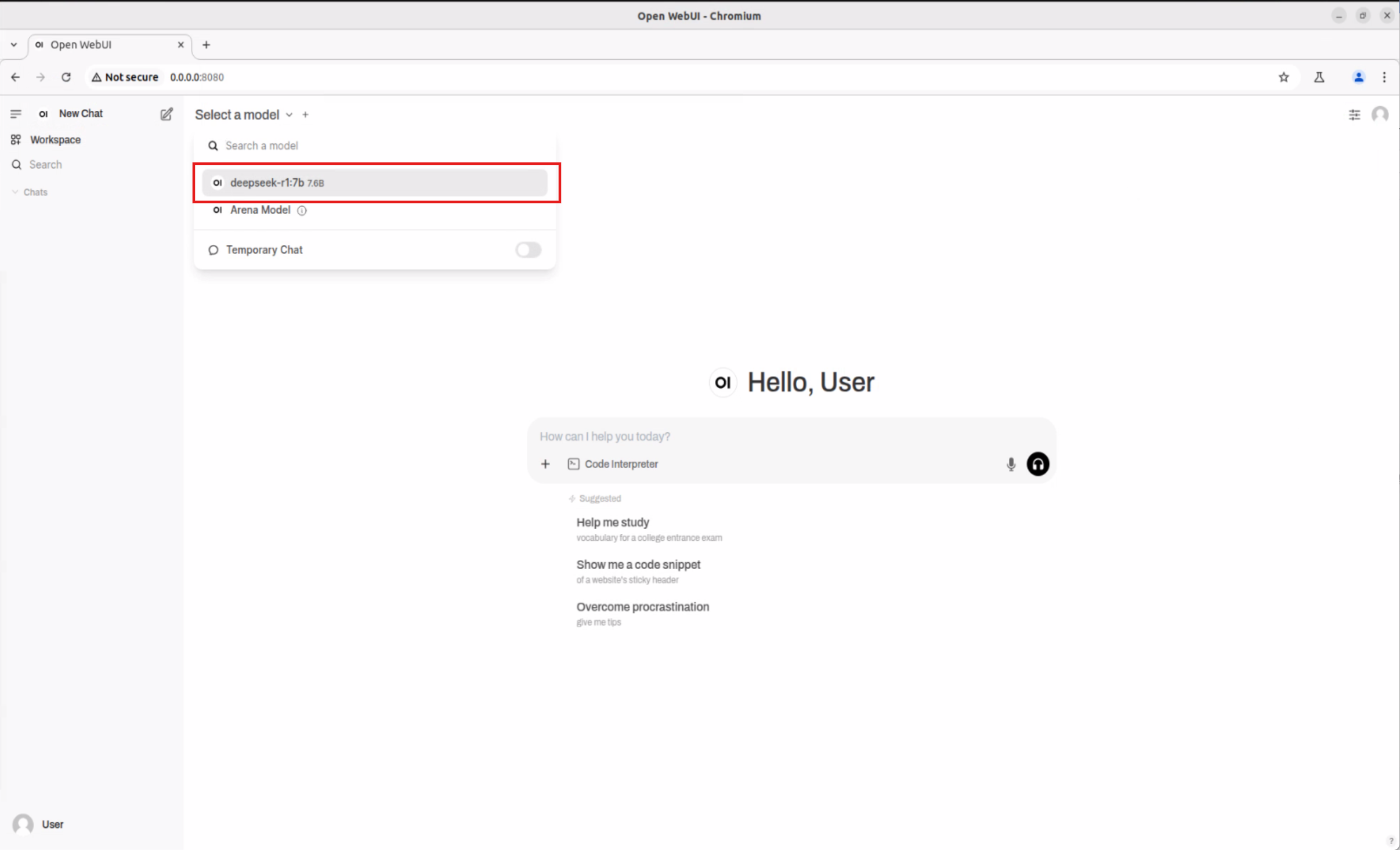
  • Click the dropdown menu next to “Select a model”, enter the desired model name (e.g., deepseek-r1:7b) in the search box
    Search Model
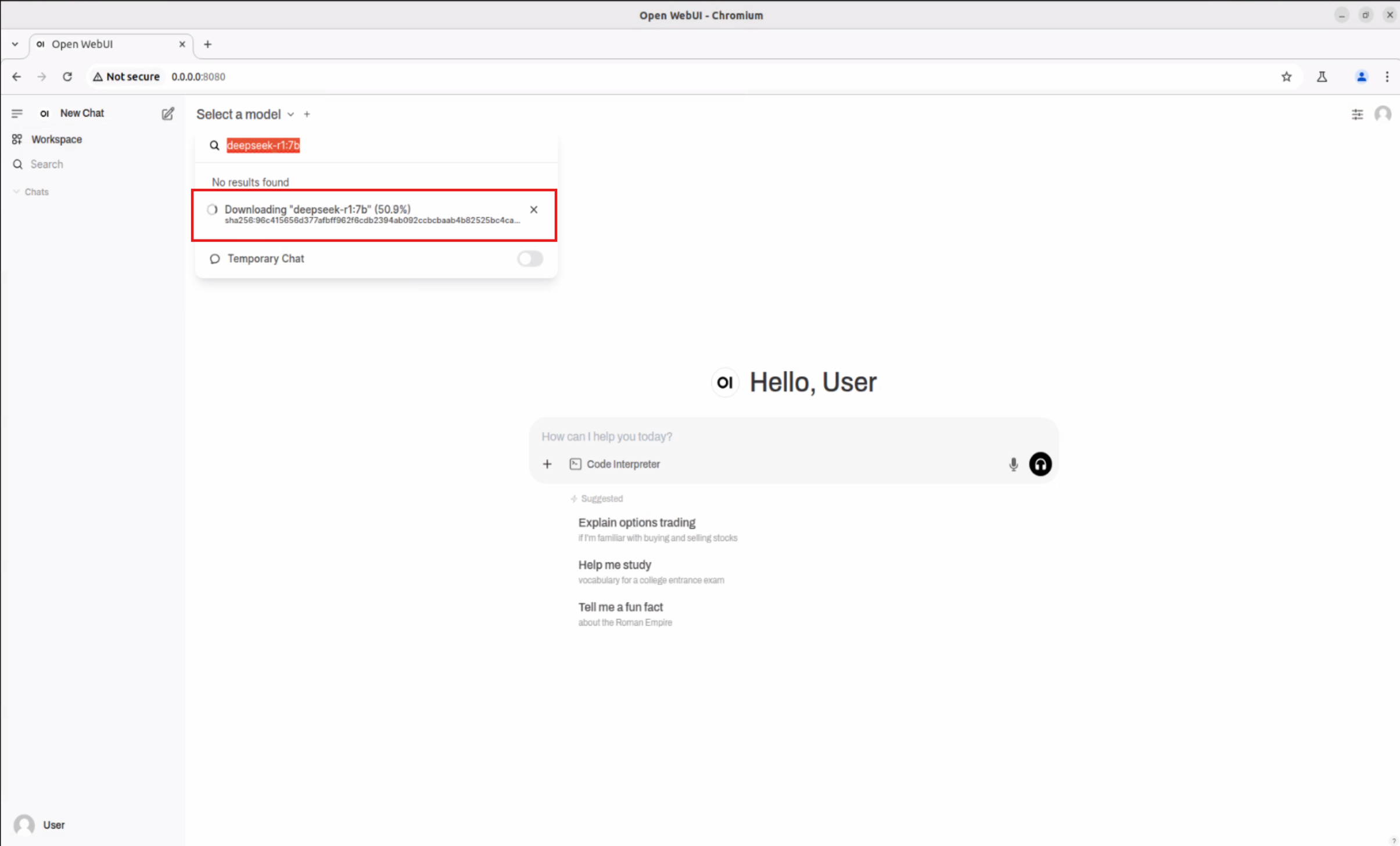
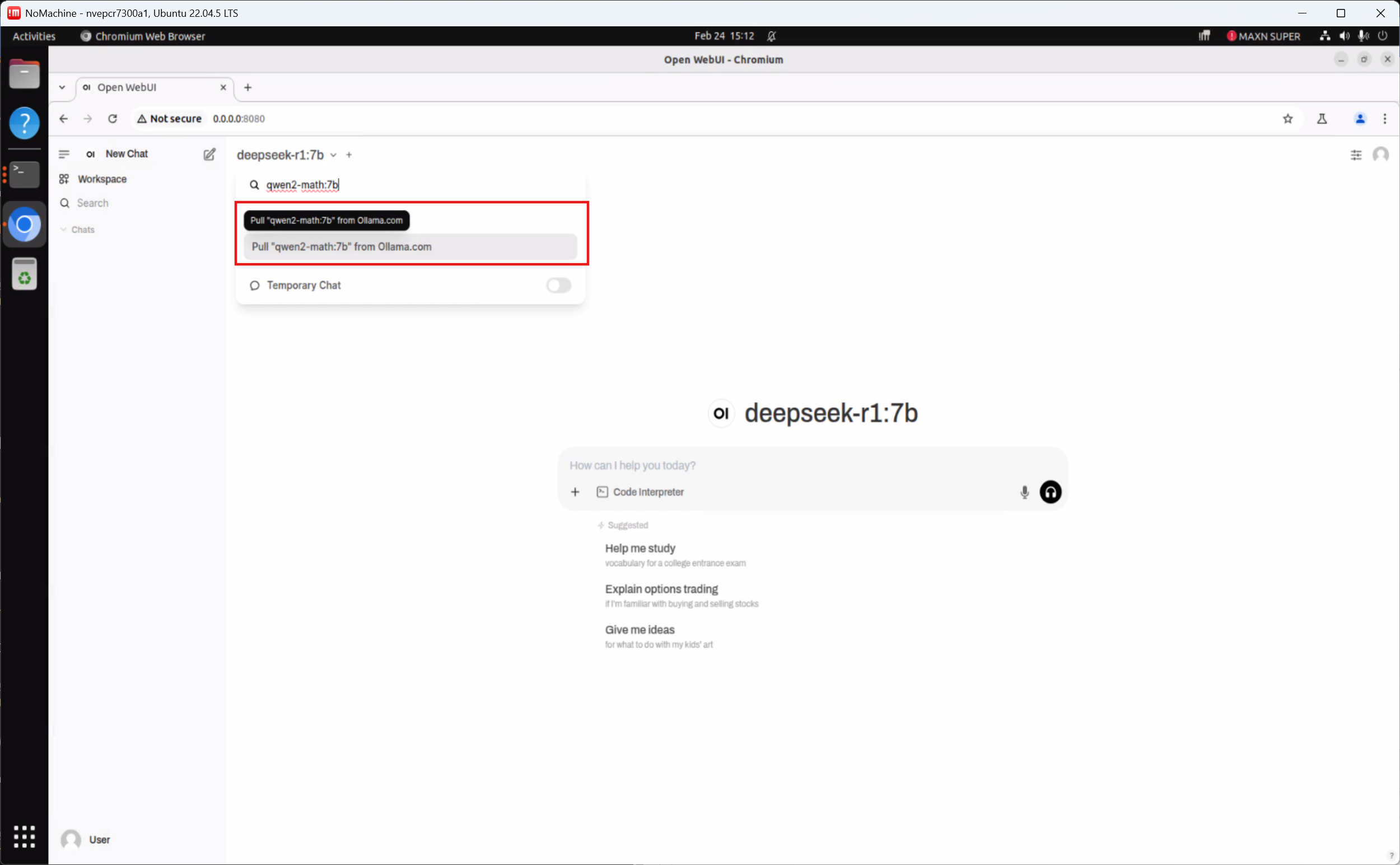
  • Download the selected model as prompted
    Download Prompt
  • After the download is complete, select the new model from the list (e.g., deepseek-r1:7b)
    Select Model

Step 4: Start Interacting with the AI Model!
#

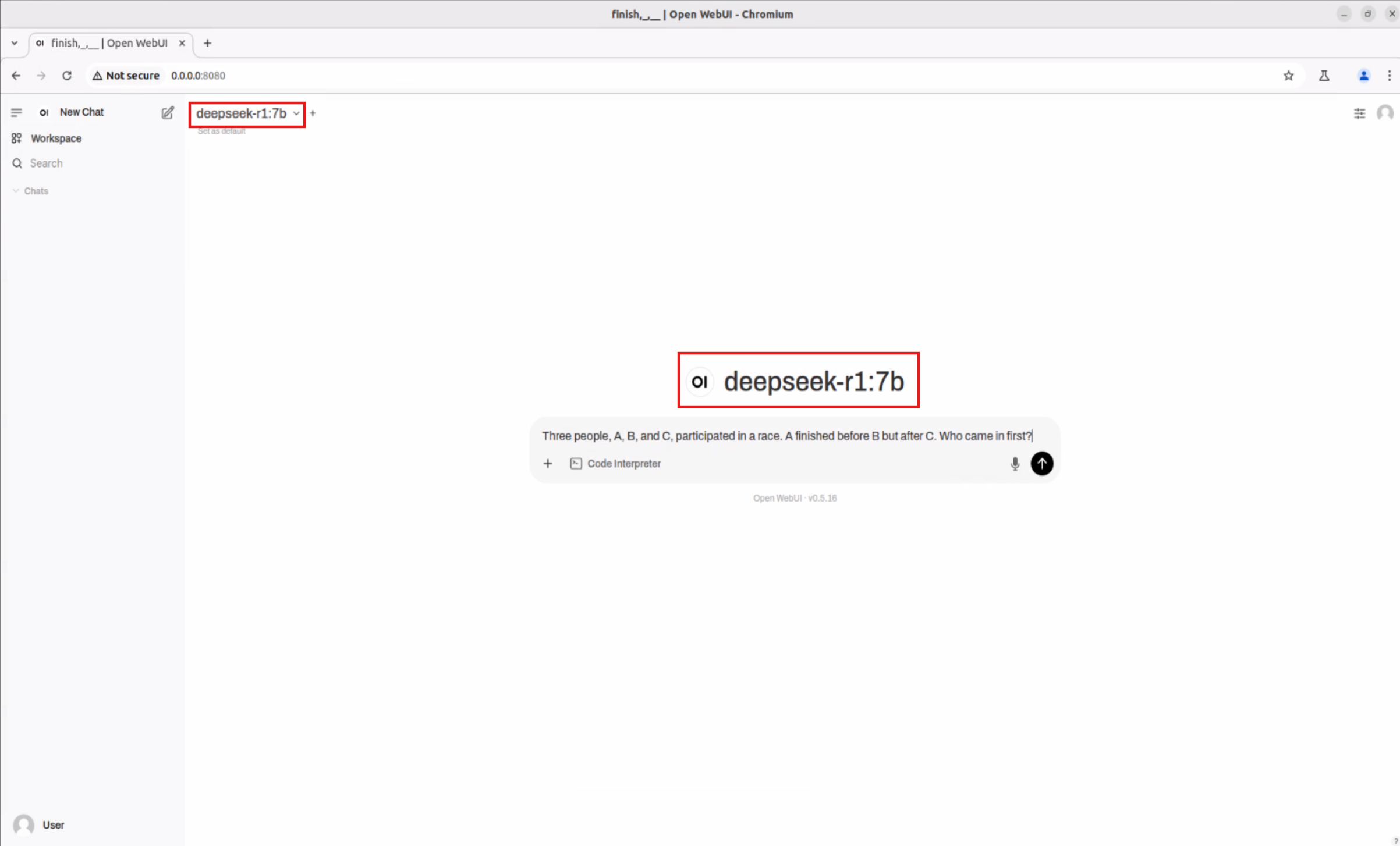
Once you’ve selected a model, you can chat and test various applications just like with ChatGPT!

Interaction Screen

Explore More Model Experiences
#

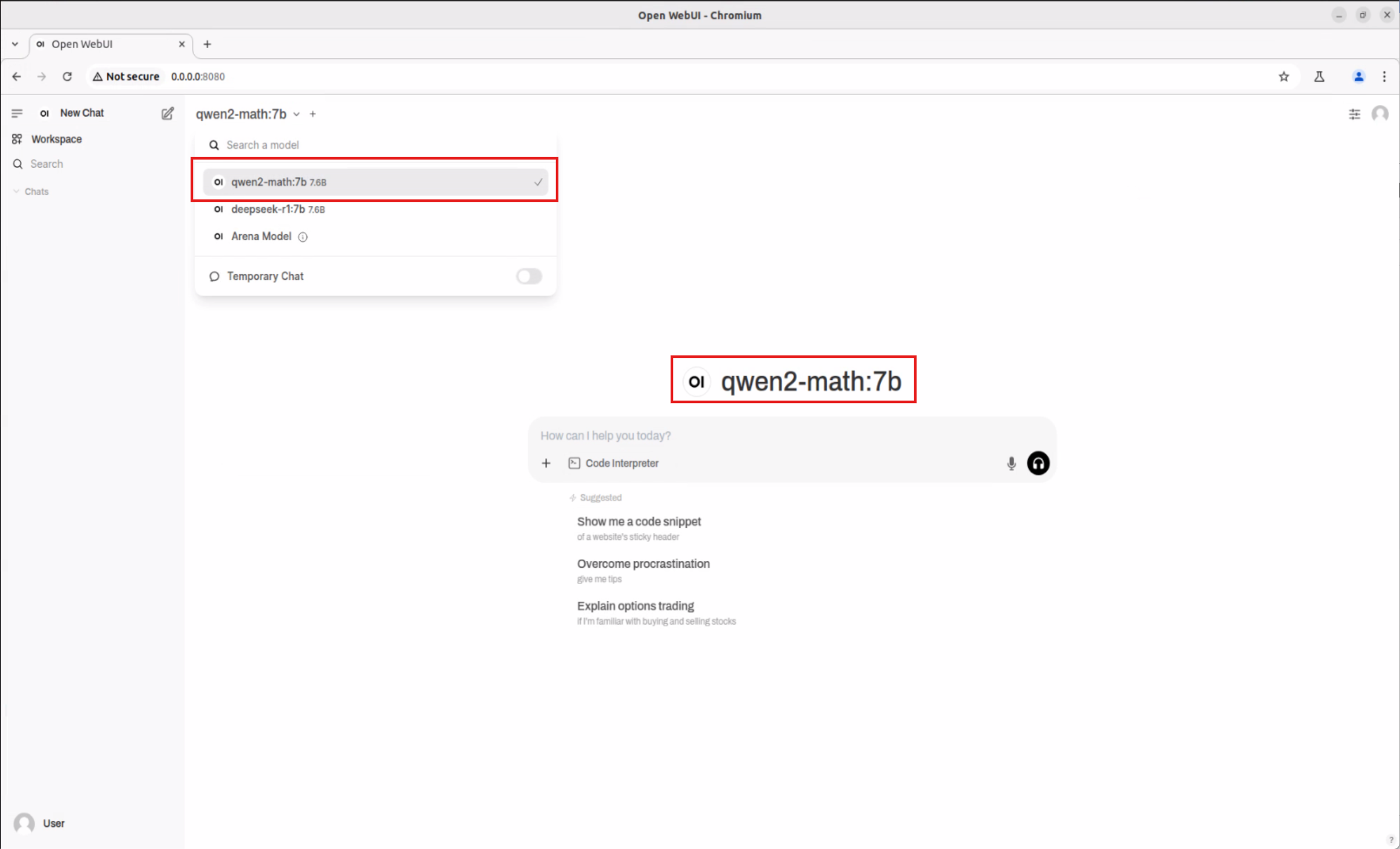
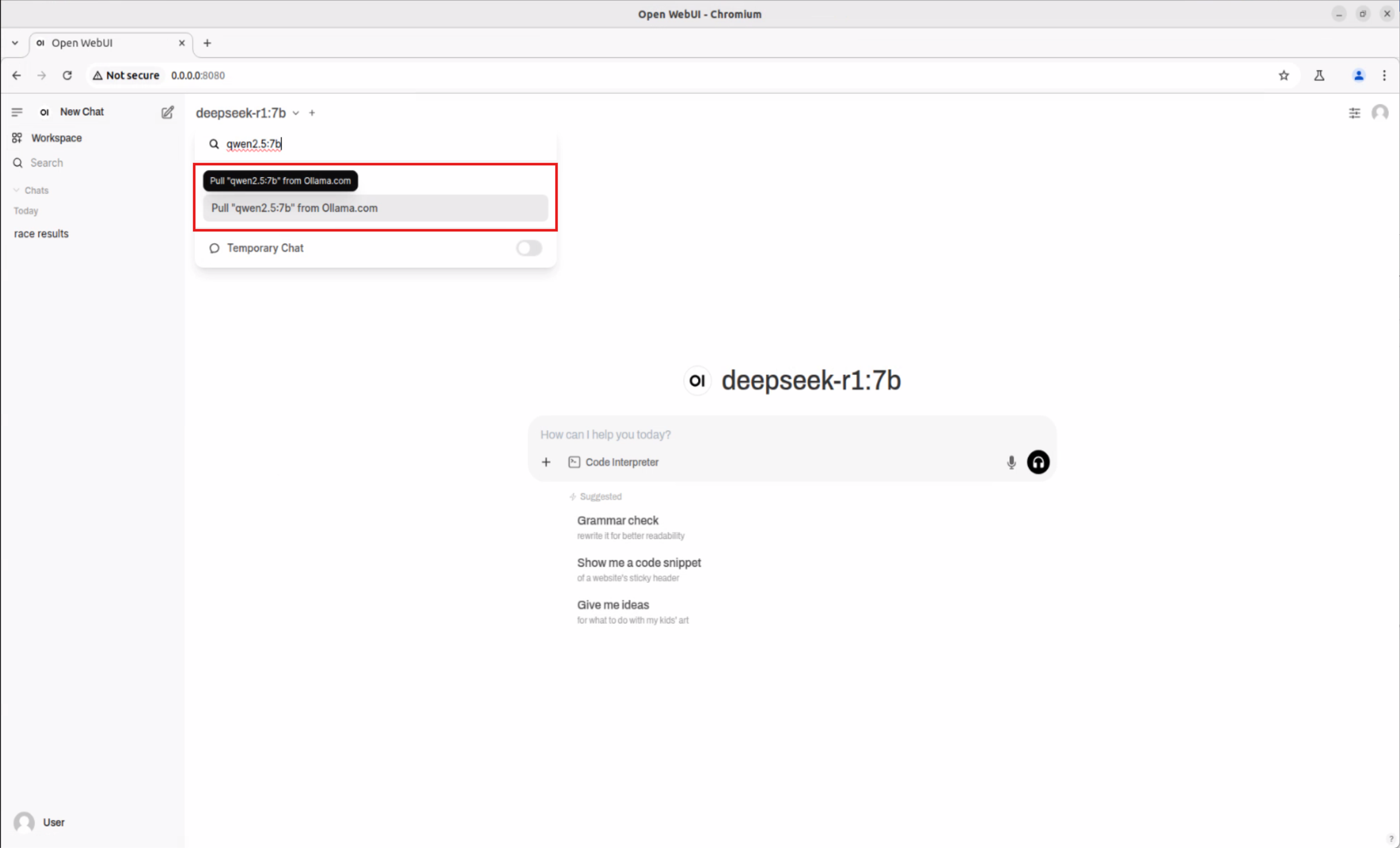
Follow the same process to download and use various AI models such as Qwen2.5-Math:7b, Qwen2.5:7b, supporting scenarios like mathematical reasoning and professional Q&A.

  • Qwen2.5-Math:7b

    Qwen2.5-Math:7b

    Switch Model

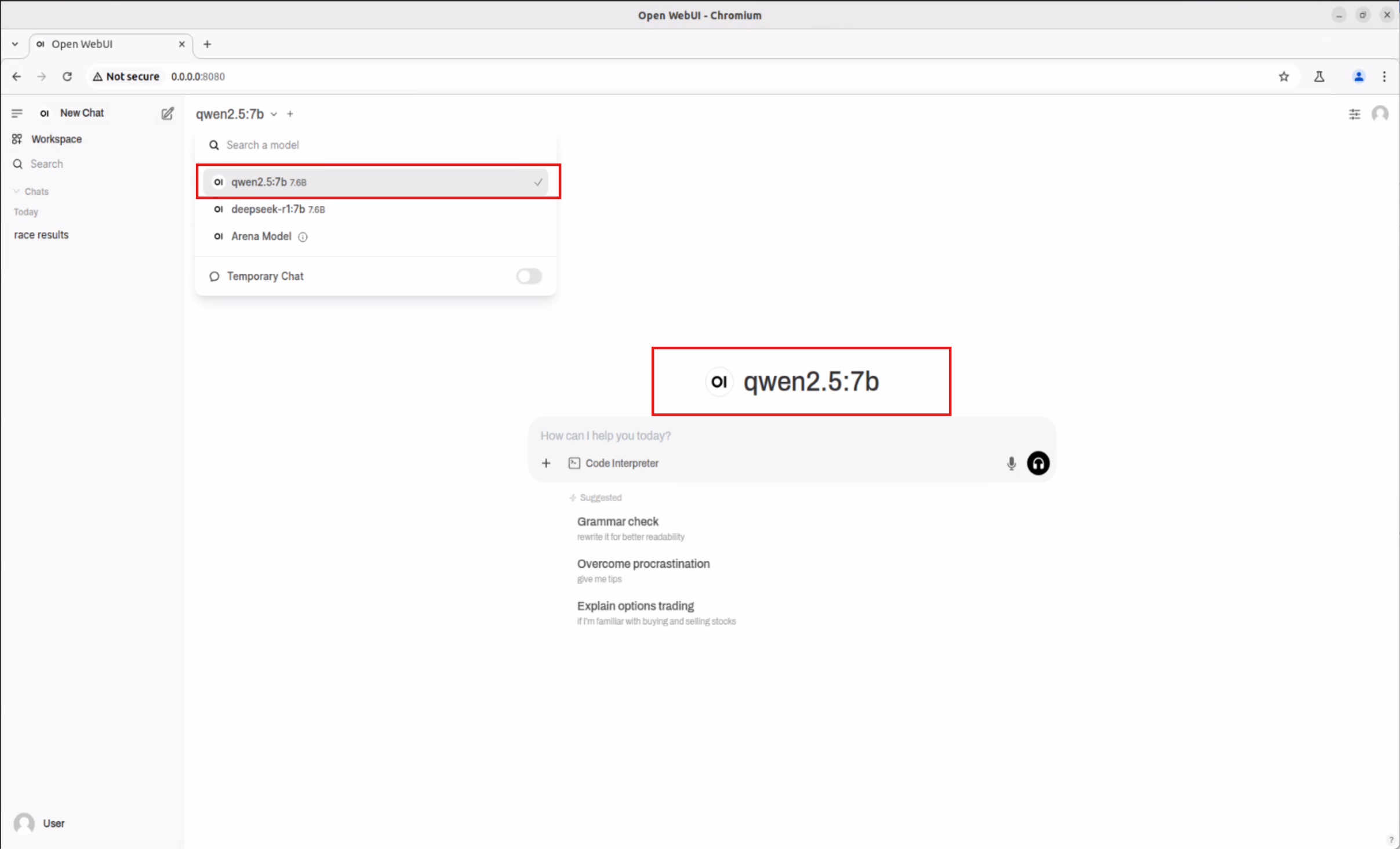
  • Qwen2.5:7b

    Qwen2.5:7b

    Switch Model


Innovative Results and Industry Applications
#

This experiment proves that the Advantech Jetson Orin platform not only supports a variety of mainstream large models (LLMs), but can also be easily deployed at the edge to enable:

  • Real-time voice/text analysis on smart factory floors
  • Automated response in retail/customer service
  • Smart medical information queries
  • Traffic monitoring and decision support
  • Automated data reasoning and knowledge management

Highlights:

  • No reliance on the cloud—every site can be AI-enabled in real time
  • Flexible support for multiple models, enabling rapid application switching
  • Open architecture for easy secondary development and integration
  • High performance and low power consumption, suitable for 24/7 operation

Conclusion and Future Outlook
#

With a rigorous yet dynamic approach, the Advantech engineering team has demonstrated our continuous innovation and breakthroughs in the field of AI edge computing. Looking ahead, we will continue to optimize platform compatibility, track new models and inference architectures, and help customers quickly adopt cutting-edge AI technologies, seizing every digital transformation opportunity!

Advantech will continue to focus on innovation, making AI technology truly accessible and empowering smart upgrades across industries. To learn more about our latest experiments and solutions, feel free to contact us anytime!


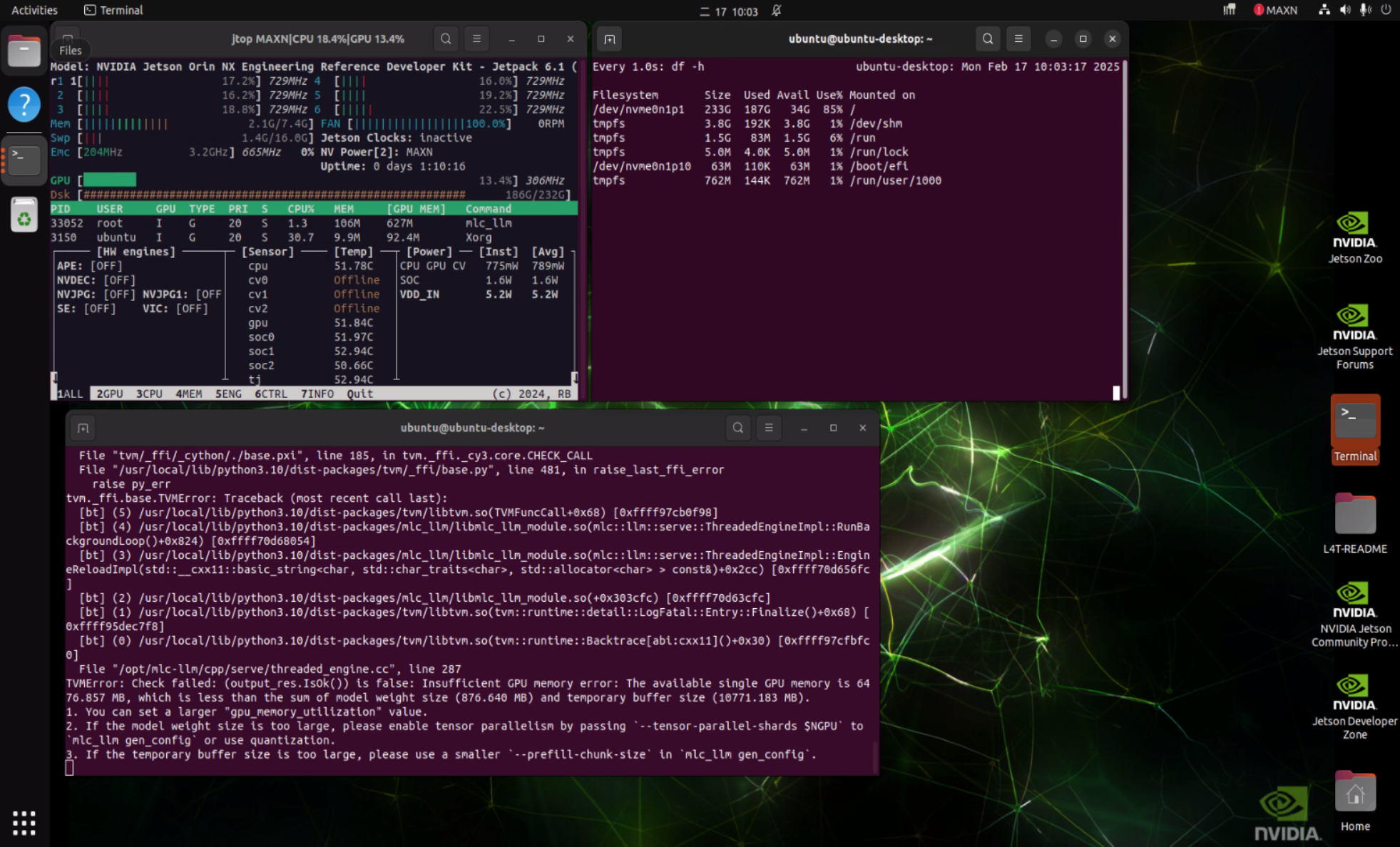
Reminder: Currently, when using Qwen architecture models with the MLC inference framework, you may encounter compatibility issues (as shown below). We are actively coordinating with NVIDIA to resolve this!

Error Message


Reference Links:

Continuous R&D, relentless innovation—Advantech always leads the way in AI edge computing!

Related

Bringing Edge AI to Life! How Advantech Simplifies Deployment with Docker Containers to Accelerate Your Innovative Applications
· loading
Bringing AI Closer to You! How Advantech is Leveraging Small Language Models (sLLMs) on Edge Devices
· loading
Unveiling the New Era of Edge AI! Advantech AIMB-2210 × AMD Ryzen™ 8000 NPU Next-Gen Experiment Revealed
· loading