This article has been rewritten and reorganized using artificial intelligence (AI) based on referenced technical documentation. The purpose is to present the content in a clearer and more accessible manner. For technical clarifications or further verification, readers are advised to consult the original documentation or contact relevant technical personnel.
Imagine being able to transmit information to an electronic label with just a tap, instantly refreshing the display, and even upgrading firmware remotely. This isn’t science fiction—it’s the real-world application of Advantech’s brand-new EPD30xN NFC E-Paper Display System! Join us as we step into the lab to unveil the principles, applications, and limitless possibilities of this innovative technology!
E-Paper + NFC: The Perfect Combination for Smart Display #
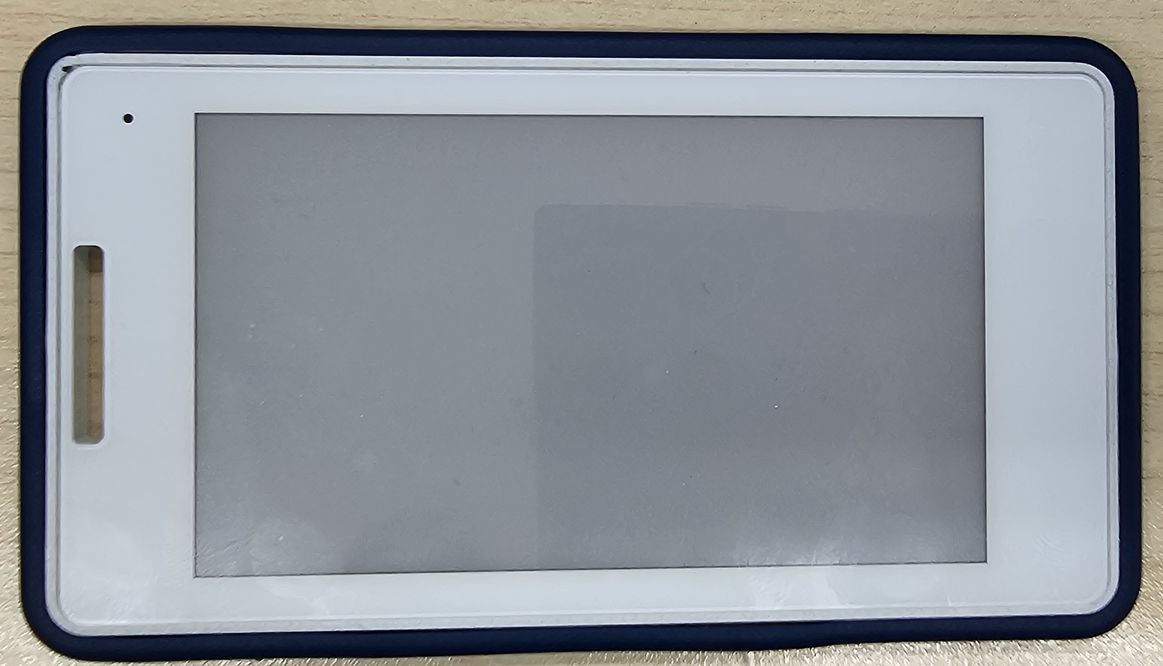
With the rise of IoT and smart retail, E-Paper has gained popularity in smart labeling, shelf signage, and meeting room displays, thanks to its low power consumption, wide viewing angles, and eye-friendly characteristics. But how can E-Paper content be updated quickly and conveniently? Advantech’s EPD30xN series offers a new answer—NFC (Near Field Communication) wireless transmission!
EPD30xN Series Overview #
- Three Models, Vibrant Colors:
- EPD-302N: Black/White
- EPD-303N: Black/White/Red
- EPD-304N: Black/White/Red/Yellow
- 3.7-inch E-Paper display with multi-color support
- NFC wireless content updates; operates without a battery
- Supports user data writing, image refresh, and OTA (Over-the-Air firmware upgrade)

Why Is This So Important?—Addressing Market Needs #
Traditionally, updating E-Paper content required dismantling devices and connecting cables—an inconvenient process. Advantech EPD30xN leverages NFC to make data transmission and display refresh as simple as swiping an access card, enhancing operational efficiency and reducing maintenance costs. Especially in retail, healthcare, and smart factory environments, this innovation can greatly improve information timeliness and management flexibility.
Inside the Lab: How Does the EPD30xN Work? Three Core Features at a Glance #
1. Instant Refresh with a Tap—Update Messages in Seconds #
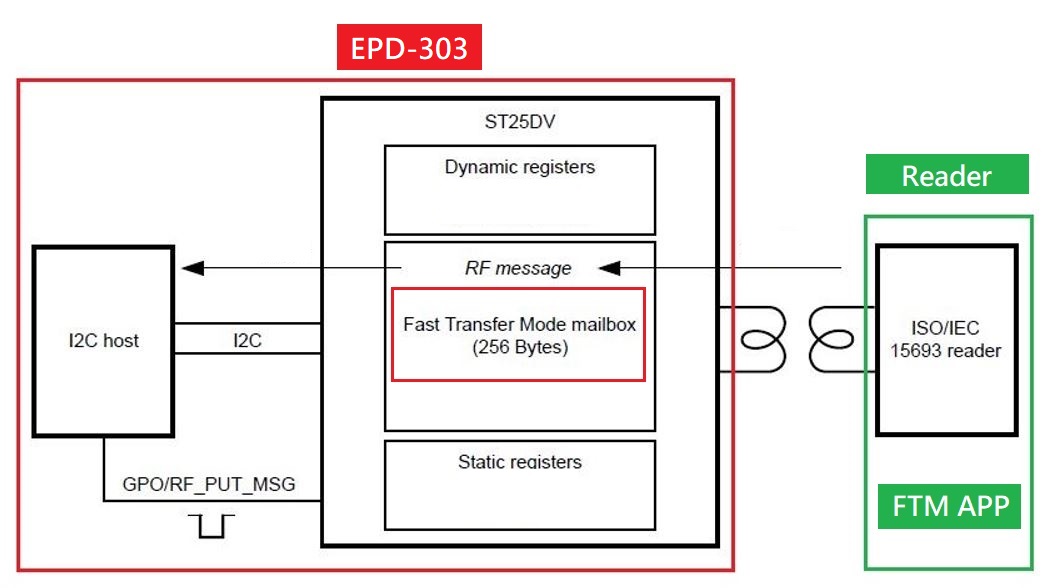
When an E-Paper tag approaches the NFC Reader, the system automatically detects and performs three main tasks:
- Image Refresh: Wirelessly transmits the latest images or information to the E-Paper display.
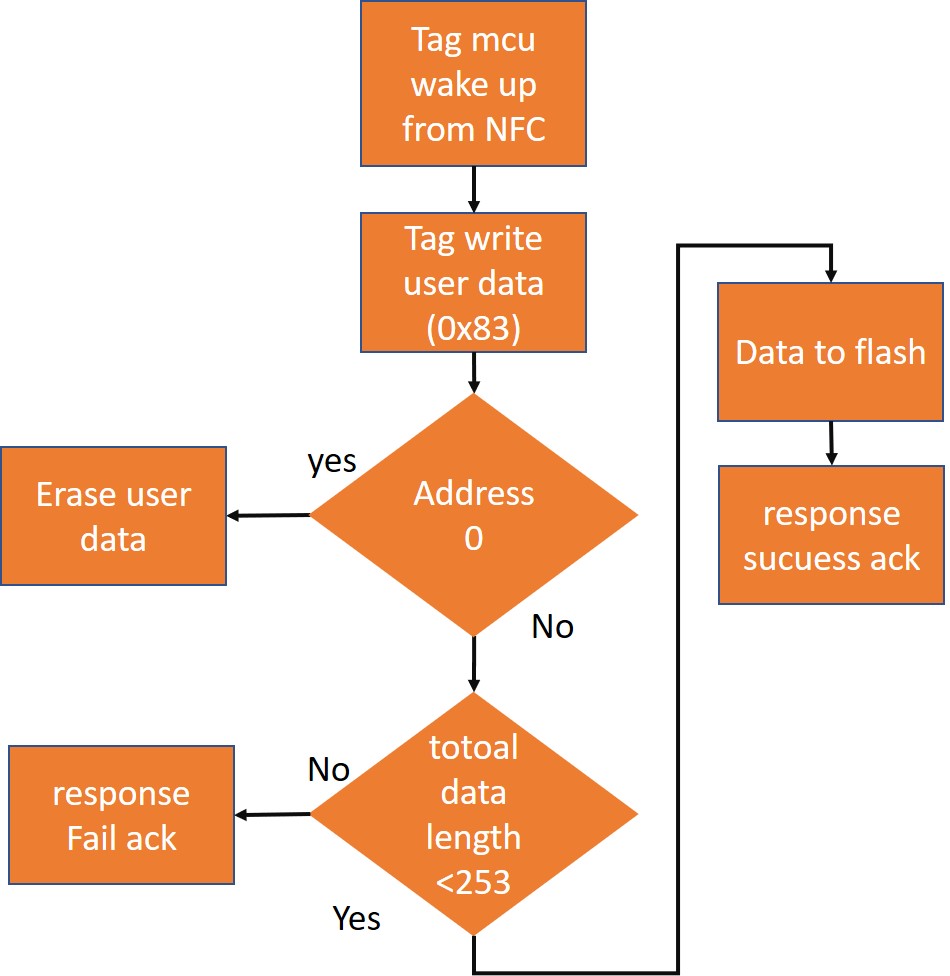
- User Data Read/Write: Supports storage and retrieval of up to 253 characters of custom text data.
- Firmware OTA Upgrade: Remotely updates the system core wirelessly, eliminating the need for disassembly.
2. Intelligent Sensing, LED Status at a Glance #
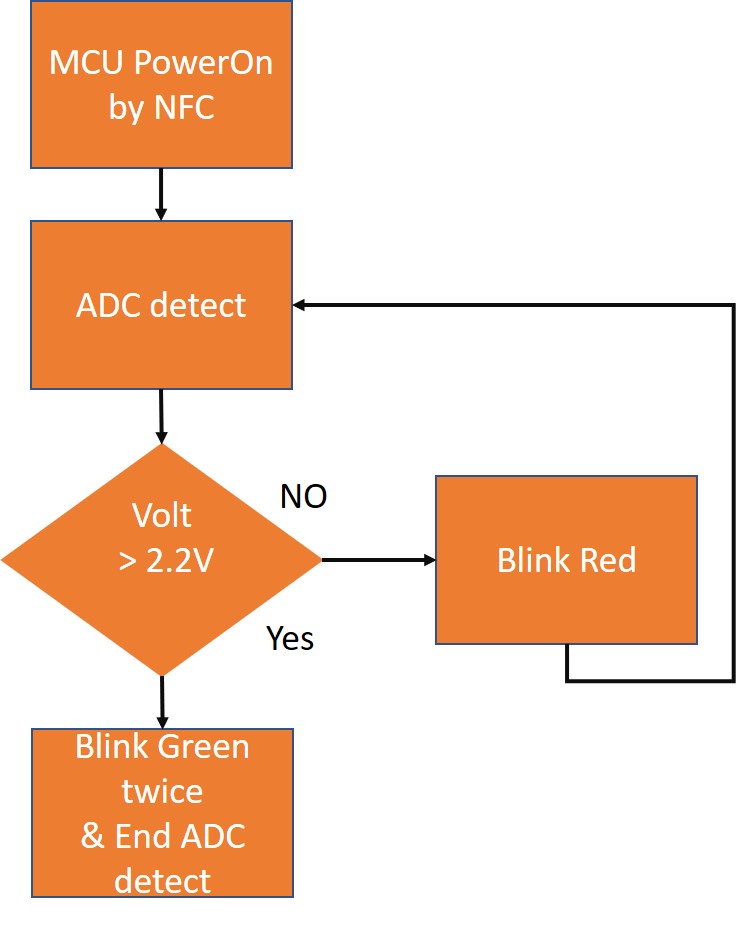
To ensure stable data transmission, the EPD303 features a built-in ADC voltage detector:
- When the tag is correctly detected: Green light blinks twice
- If the tag is too far or detection is abnormal: Red light blinks continuously
3. Intuitive Workflow—From Image Refresh to Data Management #
-
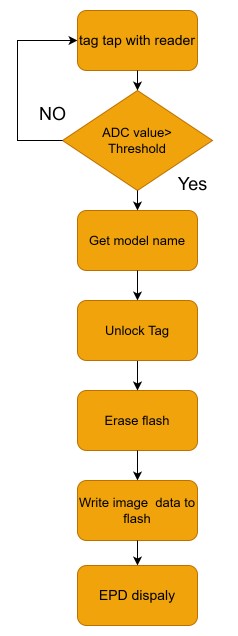
Image Refresh Process
-
User Data Writing
-
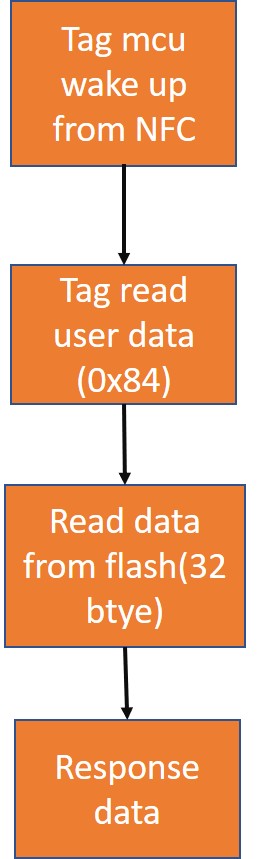
User Data Reading
OTA Wireless Upgrade: A New Revolution in Device Maintenance #
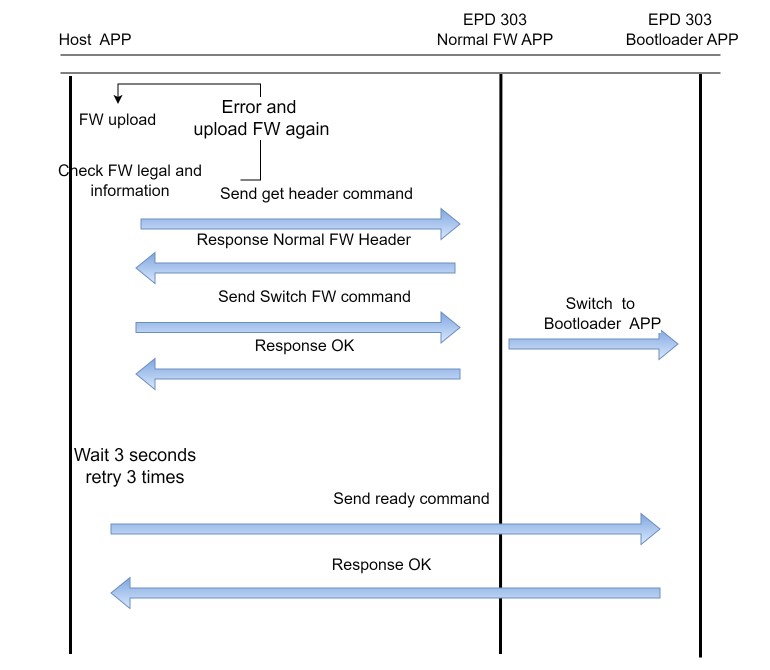
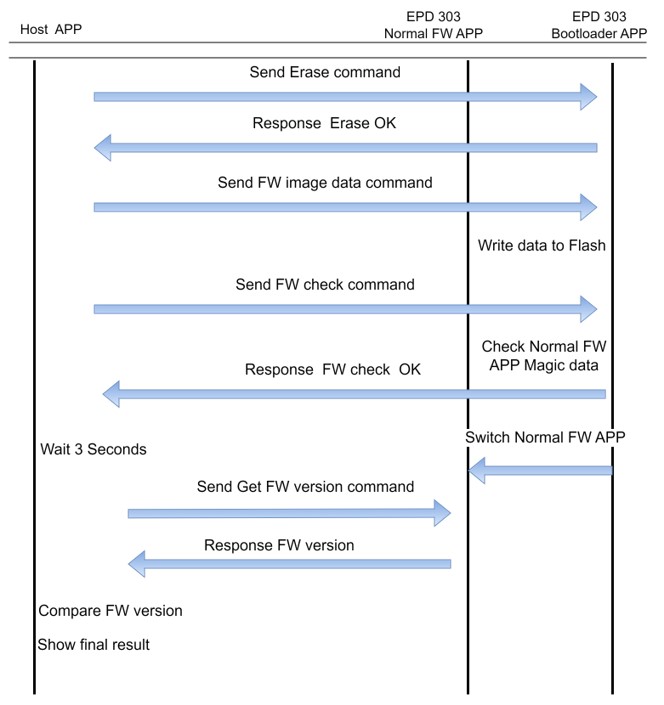
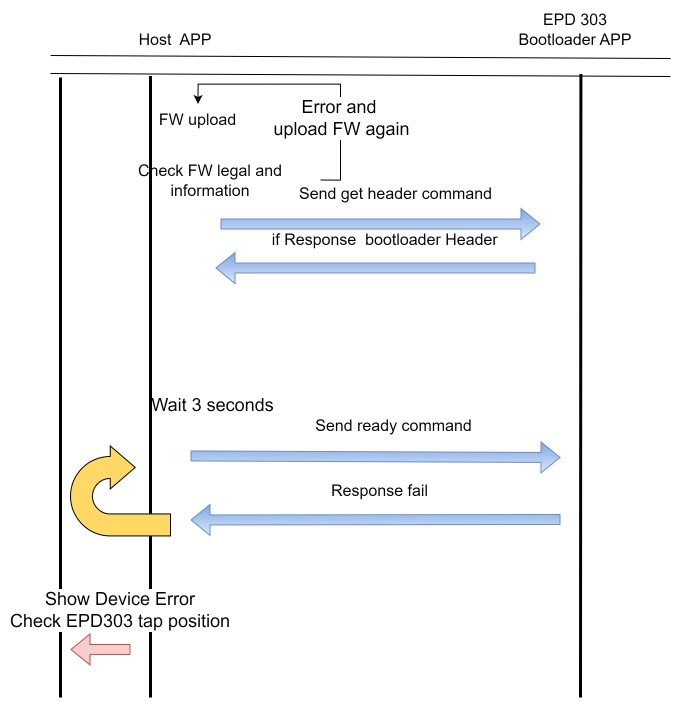
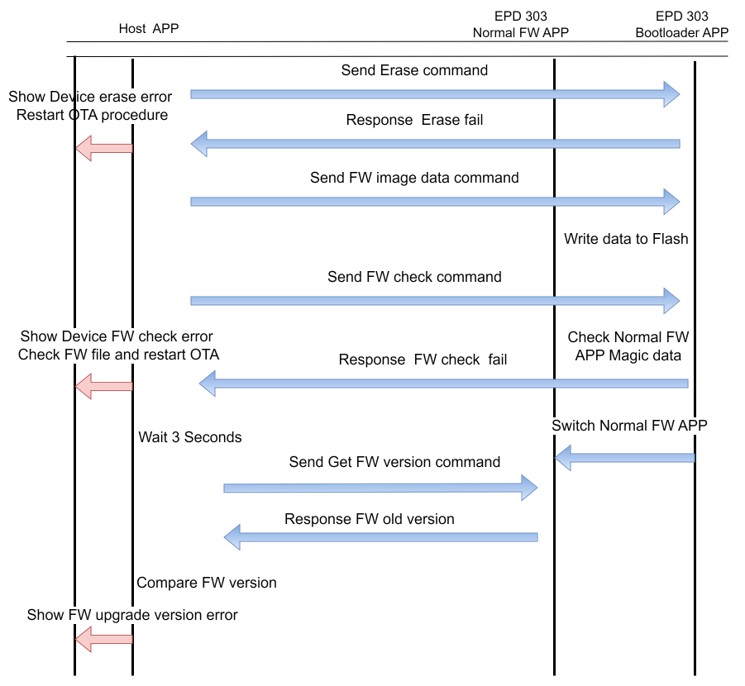
Who says firmware updates require device disassembly? The EPD303 fully supports OTA (Over-The-Air) updates, allowing version checks, firmware uploads, validation, and exception handling—all wirelessly, saving time and effort.
-
OTA Upgrade Process
-
OTA Exception Handling Mechanism
Step-by-Step Guide: Complete Record of EPD30xN OTA Upgrade #
Curious about how it works in practice? Here’s a simple five-step guide to walk you through the OTA upgrade process!
-
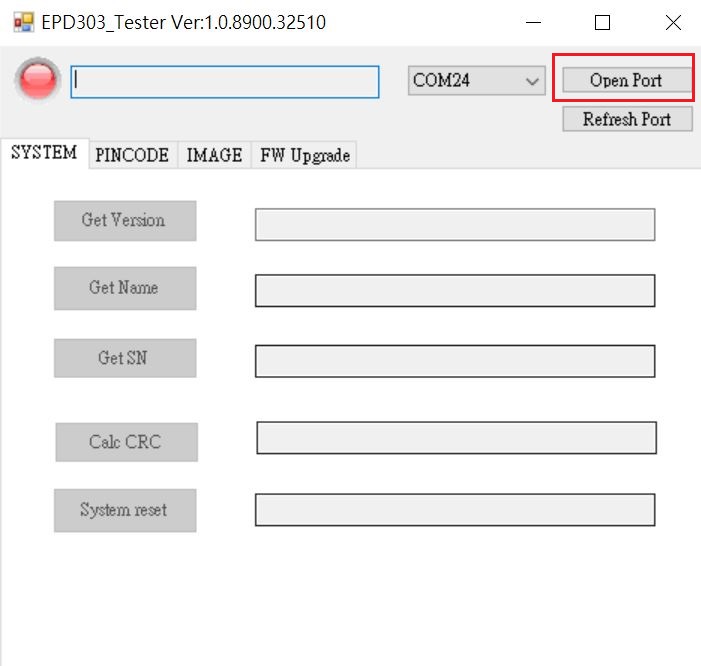
Connect the Reader Device
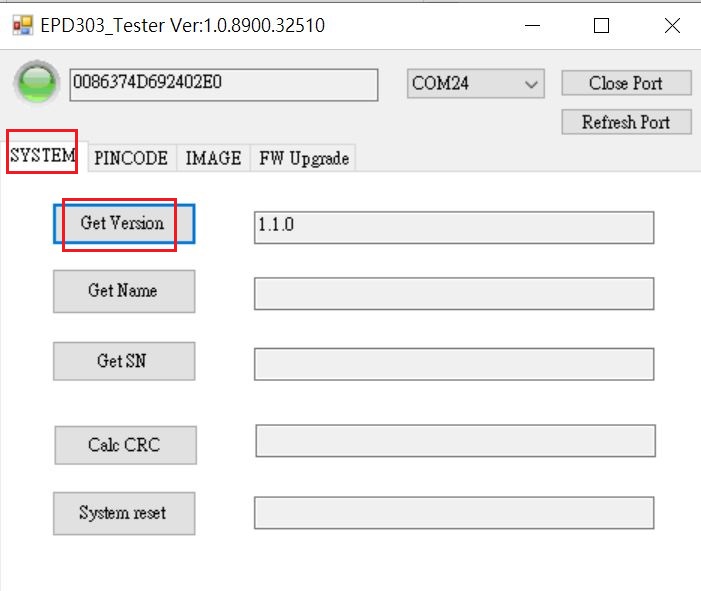
- Plug the Reader USB into your computer, open the EPD30xN Tester tool, confirm the correct COM Port, and click “Open Port”.
-
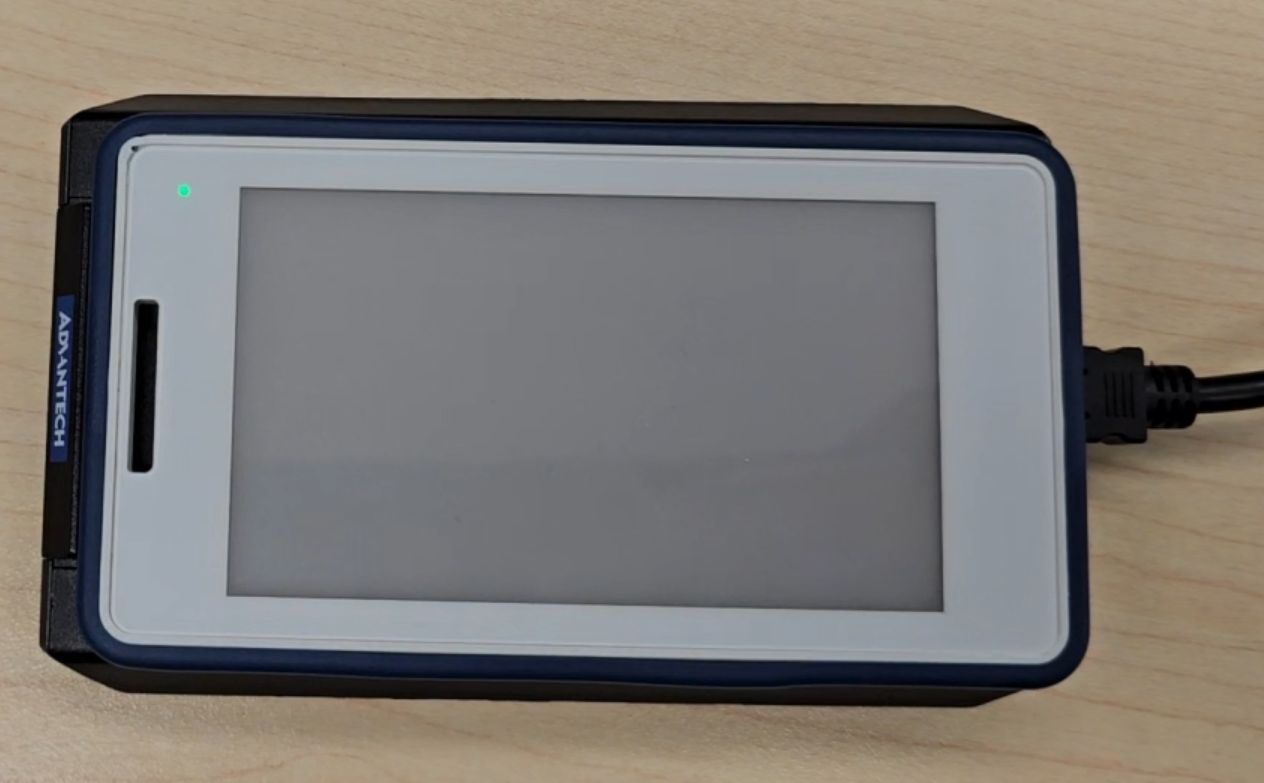
Place the EPD-30xN Tag on the Reader
- The tag’s green LED blinks twice, and the software shows a green light, indicating successful power-up.
-
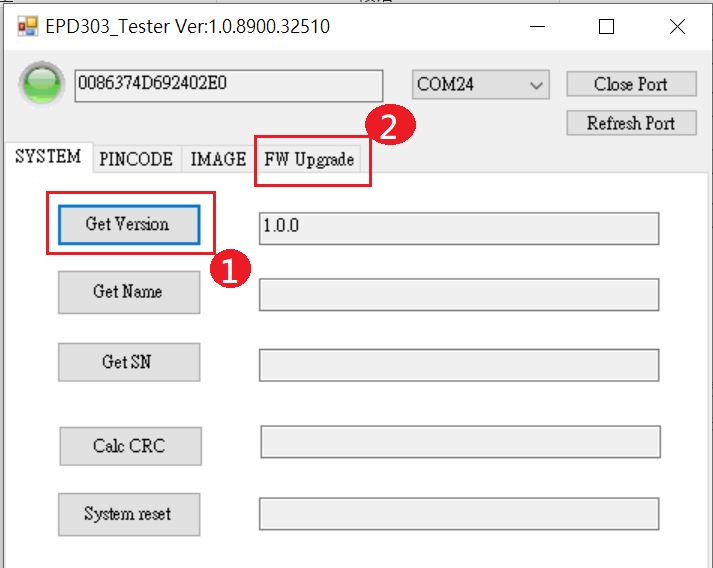
Check Firmware Version and Prepare for Upgrade
- Click “Get version” to view the current version, then switch to the “FW Upgrade” tab.
-
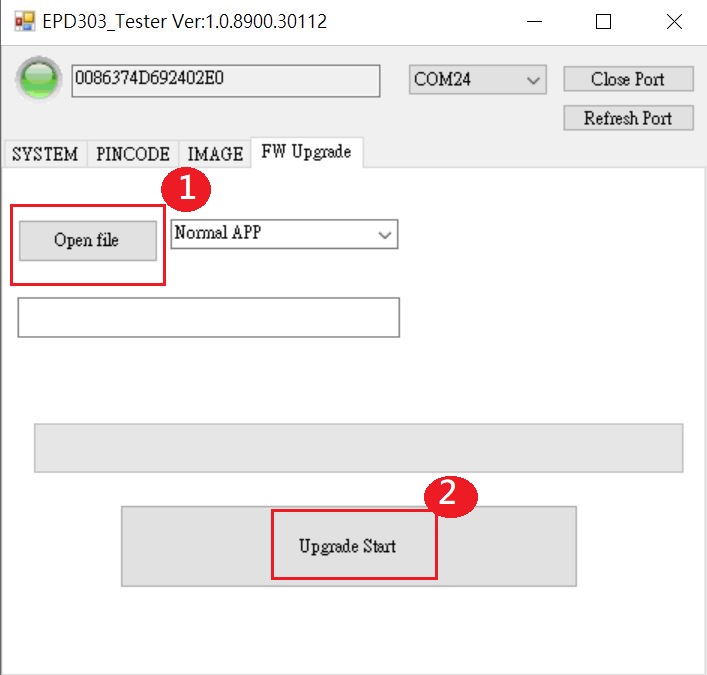
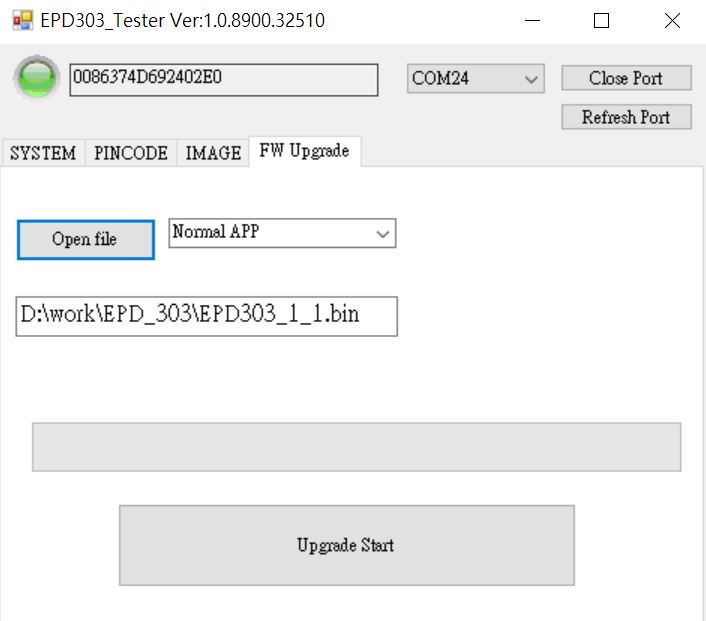
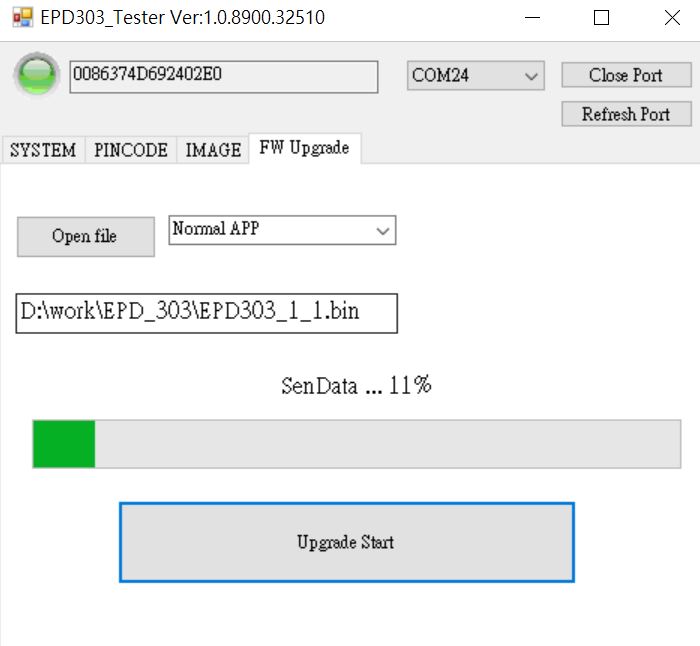
Select Firmware File and Start Upgrade
- Click “Open” to select a valid firmware file, then click “Upgrade start” to begin the upgrade.
-
Upgrade Completion Verification
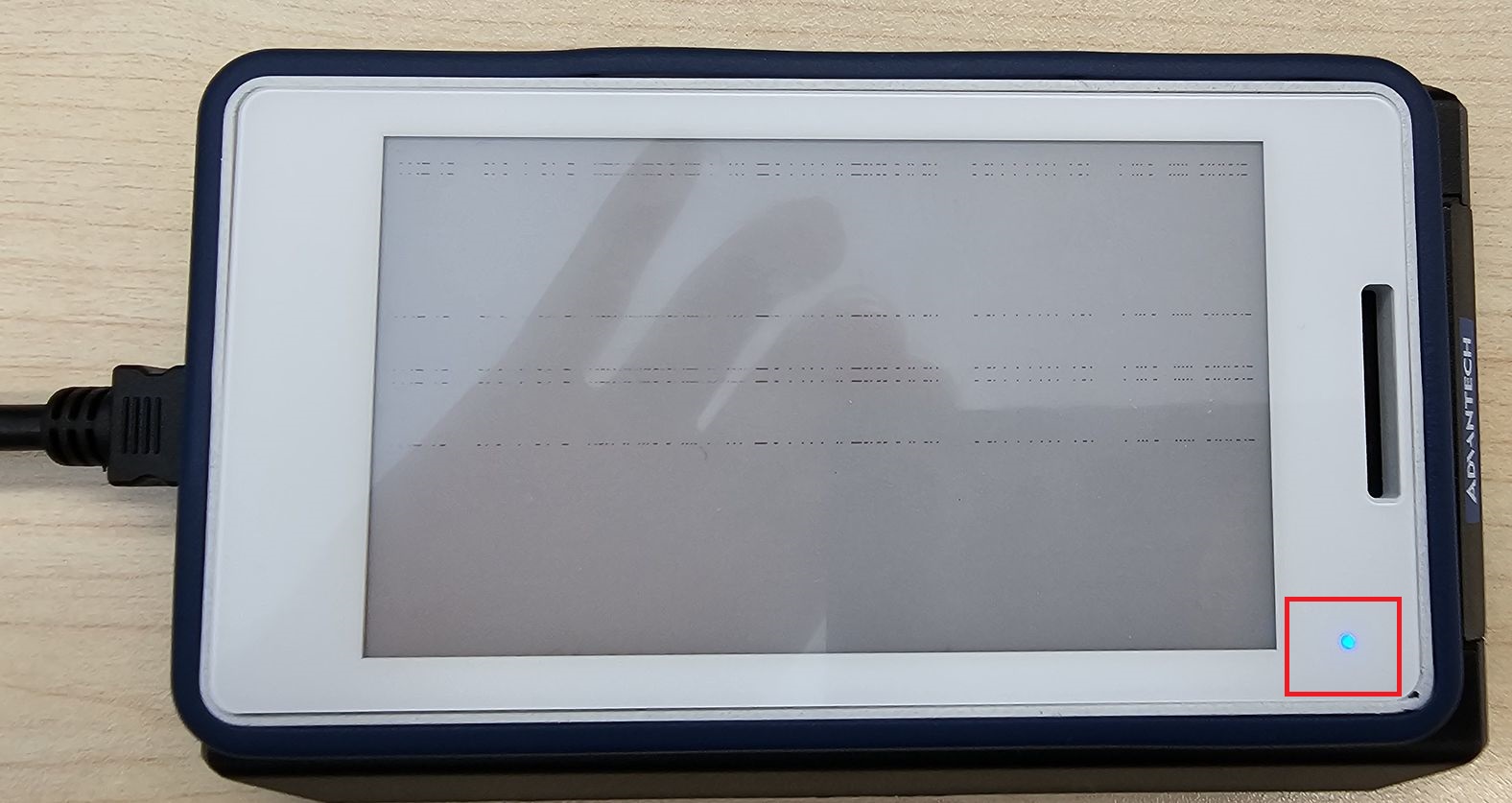
- The screen will show a successful upgrade, the tag’s blue LED lights up, and upon another detection, the green LED blinks. Switch back to the “system” tab and click “get version” to confirm the new version.
Technical Highlights Summary #
- No batteries, no wires—ready to use anytime
- Multi-color E-Paper display for clearer information
- NFC wireless transmission—secure and fast
- OTA firmware upgrades—seamless and real-time maintenance
- Multiple command sets for maximum flexibility, with built-in security (PIN code/data encryption)
Advantech Continues to Innovate, Ushering in a New Era of Electronic Labels #
These lab results demonstrate that Advantech not only possesses strong R&D capabilities but also embraces challenge and innovation to create smarter, more convenient NFC E-Paper solutions. Moving forward, we will continue to optimize product functionality and expand into diverse application scenarios such as smart retail, healthcare, and smart factories, helping customers easily embrace digital transformation.
What’s next for the EPD30xN? Stay tuned for Advantech’s latest tech updates, and join us in witnessing the limitless possibilities of smart displays!