Do you often find Windows system images too large, taking up excessive storage space and lowering installation and maintenance efficiency? We’ve encountered this pain point during our development process too! Today, we’ll show you how Advantech uses a rigorously engineer-tested SOP (Standard Operating Procedure) to effectively “slim down” Windows images, further upgrading the performance of your industrial PCs and embedded systems!
[Background Knowledge] Why Optimize Windows Images? #
In the field of industrial PCs and embedded applications, devices often have limited storage space. If the system image is too large during installation or deployment, it can:
- Affect initial installation and mass production speed
- Increase maintenance and upgrade costs
- Occupy unnecessary storage space
Optimizing image files not only saves space and speeds up deployment, but also improves overall system performance! This is a key part of Advantech’s ongoing innovation and product optimization.
[Live from the Lab] Advantech’s Secret Weapon for Streamlining Windows Images #
Imagine giving your Windows system a deep clean, just like tidying up a room! These are the steps our engineers have personally tested and recommend. Each step has been rigorously verified and is intuitive to perform.
Step 1. Open Command Prompt as Administrator #
-
Search for
cmdin the Start menu, right-click and select “Run as administrator.”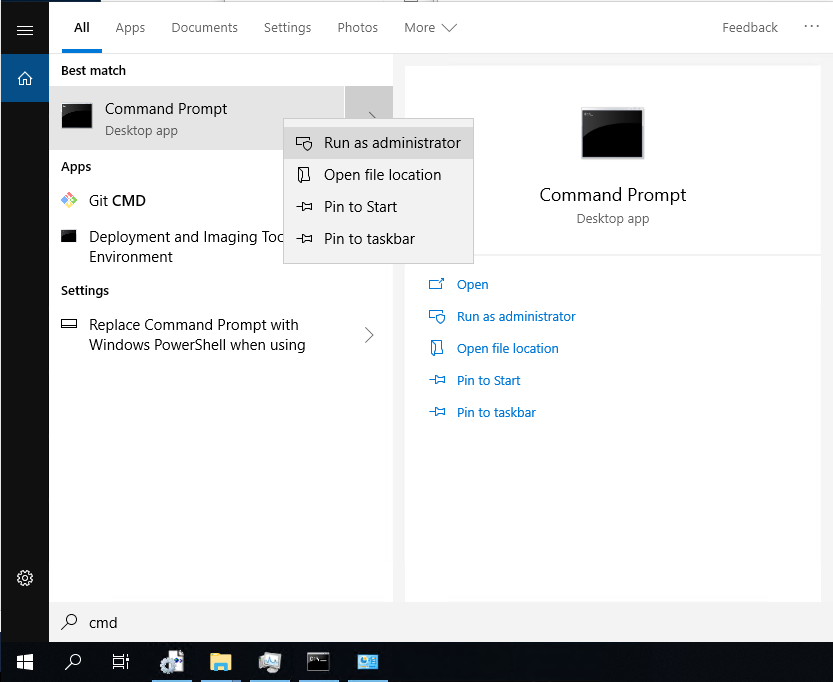
-
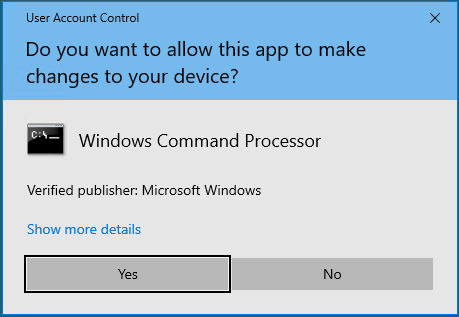
If a User Account Control (UAC) pop-up appears, click “Yes.”
Step 2. Delete Unnecessary System Folders #
-
Enter the following command to delete the temporary folder
C:\Windows\ConfigSetRoot:rmdir C:\Windows\ConfigSetRoot /Q /S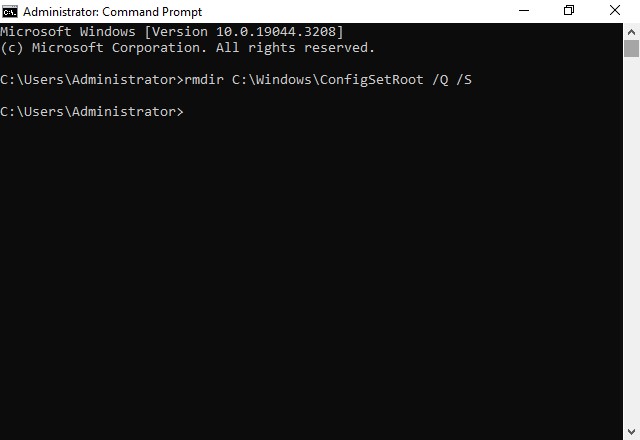
Step 3. Disable Hibernate #
-
Disabling hibernation can free up a significant amount of disk space. Enter:
powercfg -h off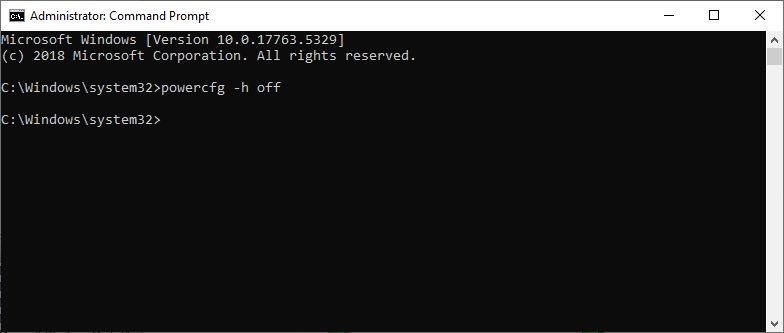
Step 4. Enable Compact OS #
-
This is Windows’ built-in “system compression” feature, which can significantly reduce image size. Enter:
Compact /CompactOs:always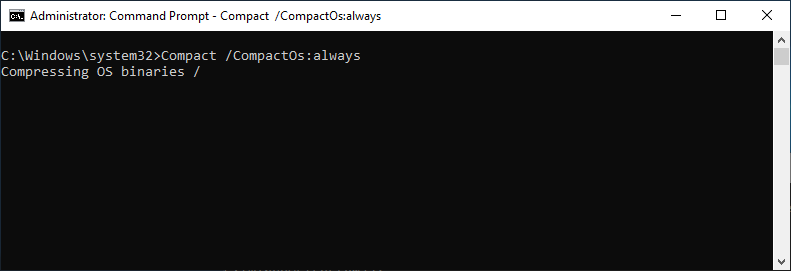
-
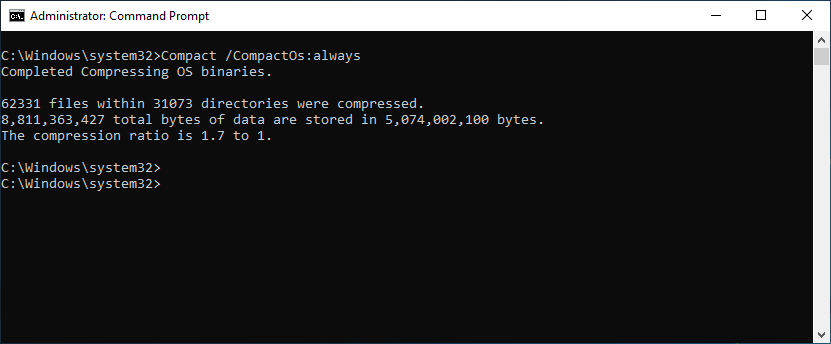
Be patient and allow the system to process automatically:
Step 5. Disable Virtual Memory (Pagefile) #
-
To further free up space, enter the following registry command:
reg add "HKEY_LOCAL_MACHINE\SYSTEM\CurrentControlSet\Control\Session Manager\Memory Management" /v "PagingFiles" /t REG_MULTI_SZ /d "" /f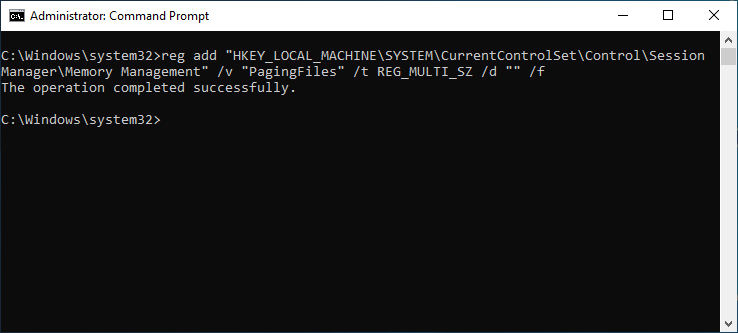
Step 6. Restart the System #
-
Enter:
shutdown -r -t 5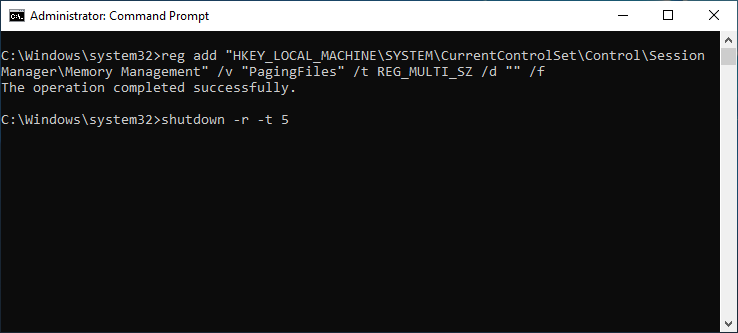
[Results Highlight] What Are the Benefits of This Optimization Technique? #
- Significantly Smaller Image Files: Through multiple experiments, we’ve found that image size can be reduced by 20% or more!
- Faster Deployment: Installation, copying, and transfer become quicker and more efficient.
- Enhanced Product Competitiveness: More flexibility to support applications with limited storage, such as IoT gateways, industrial tablets, in-vehicle computers, and more.
- Easier Maintenance: Upgrades and backups are more efficient.
These breakthroughs not only demonstrate our R&D team’s attention to detail, but also reaffirm Advantech’s ongoing innovation and pursuit of excellence in the embedded systems field!
[Looking Ahead] Continuous Optimization for the Lightest and Most Efficient Solutions #
Image file optimization is just one aspect of our technical development. Moving forward, Advantech will continue exploring new technologies such as automated deployment and intelligent diagnostics, building smarter, plug-and-play platforms for industrial partners, businesses, and customers—helping everyone stay ahead in digital transformation!
Are there any technical topics or application needs you’d like to know more about? Feel free to reach out to us anytime. We look forward to creating new industry value with you!